

Step-by-step guide
What is a programming language? Syntax vs semantics, high-level vs low-level, explained for beginners
Short answer: a programming language is a way to give instructions to a computer. Like a human language it has semantics (the meaning, what you want to happen) and syntax (the rules for writing it). Every language has different rules: in Bash you write echo "Hello World", in BASIC PRINT "Hello, world!", and in C you need several lines to do the same thing.
This is lesson 2 of my Python course (2021). In this guide you will go step by step through the basic idea of what a programming language is, compare the same program in different languages, see the difference between high-level and low-level languages and machine language, and learn how to choose a language depending on the hardware or platform you want to code for. At the end there is a short explanation of bugs, crashes and syntax errors, a comparison table and an FAQ.
In this article
- Understand what a programming language does
- Separate semantics (meaning) from syntax (rules)
- See the rules of Bash: echo
- See the rules of BASIC: PRINT in uppercase
- See the rules of C: more to write
- Notice that some languages need many lines
- Compare the same program side by side
- Learn the difference between high-level and low-level languages
- Choose a language for your platform and needs
- Pick one language and learn its rules
- Bugs, crashes and syntax errors: what they mean
- High-level vs low-level languages comparison table
- Which programming language should a beginner learn?
- Common beginner misconceptions
- Tips to learn your first programming language faster
- Frequently asked questions
- Watch the video
Step 1Understand what a programming language does
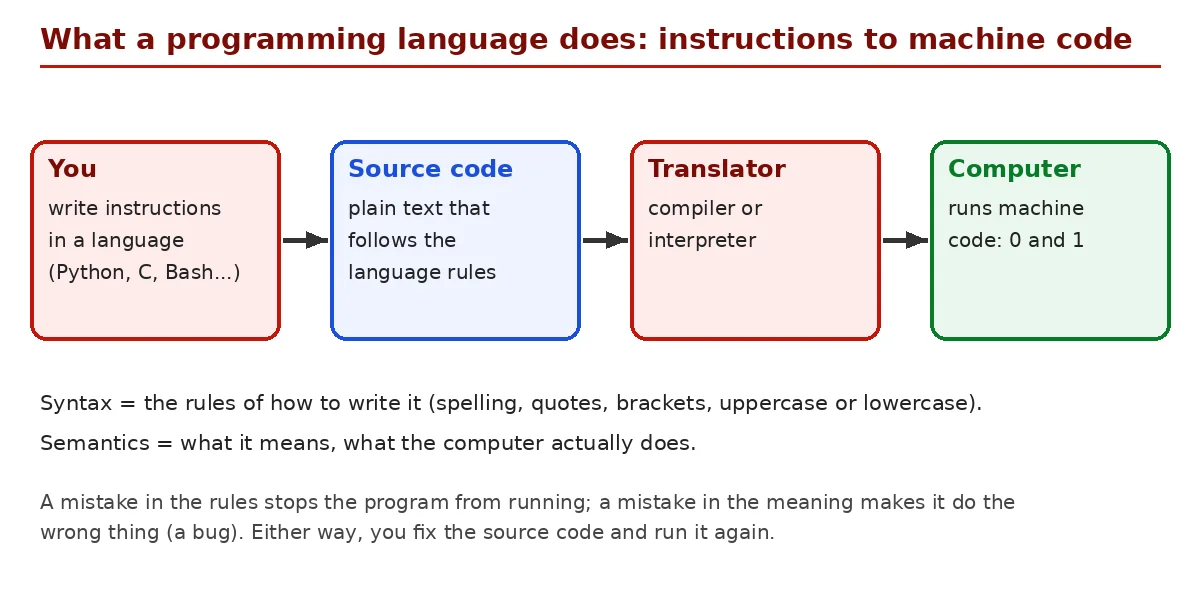
- A programming language is a way to give instructions to the computer. Programmers use it to build software, scripts and other sets of instructions.
- You write the instructions as source code in a text editor or an IDE. Then a compiler turns it into machine language, or an interpreter runs it directly (scripting languages work this way).
- Many languages share ideas, but each one has its own syntax. Once you learn a language's rules, syntax and structure, you can write programs in it.
Step 2Separate semantics (meaning) from syntax (rules)
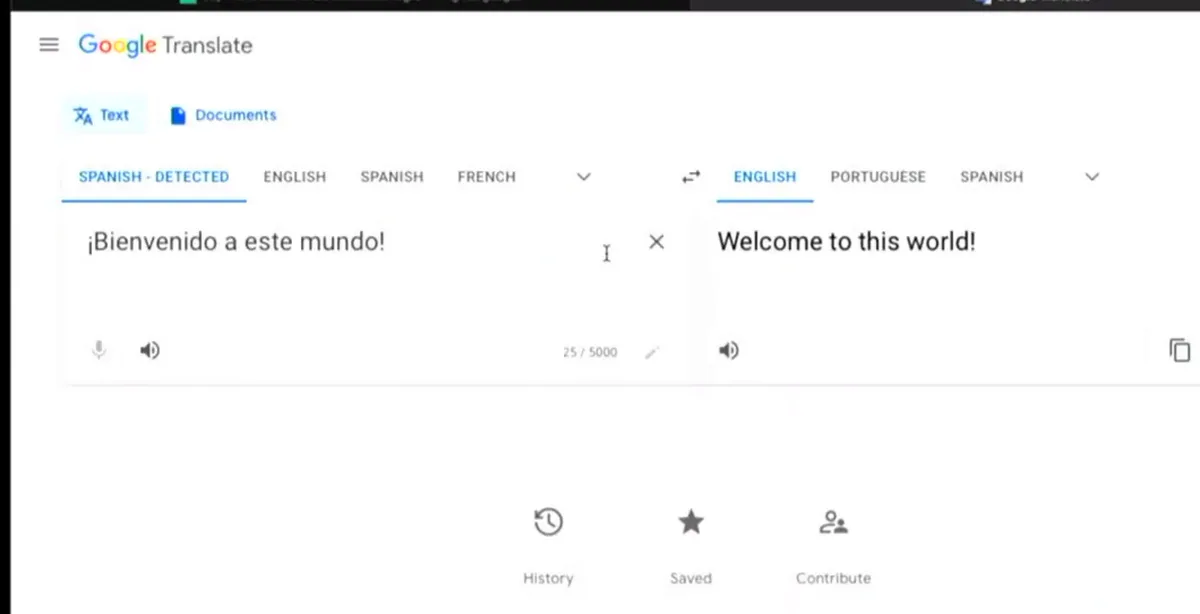
- Semantics is the meaning. Syntax is the set of rules for how to write it.
- Example from human languages: ¡Bienvenido a este mundo! means Welcome to this world! The meaning is the same, but Spanish uses an opening ¡ and a closing !, while English only has one at the end.
- Programming languages work the same way: depending on the language you choose, you must write the code following its rules, even when the meaning is identical.
Step 3See the rules of Bash: echo
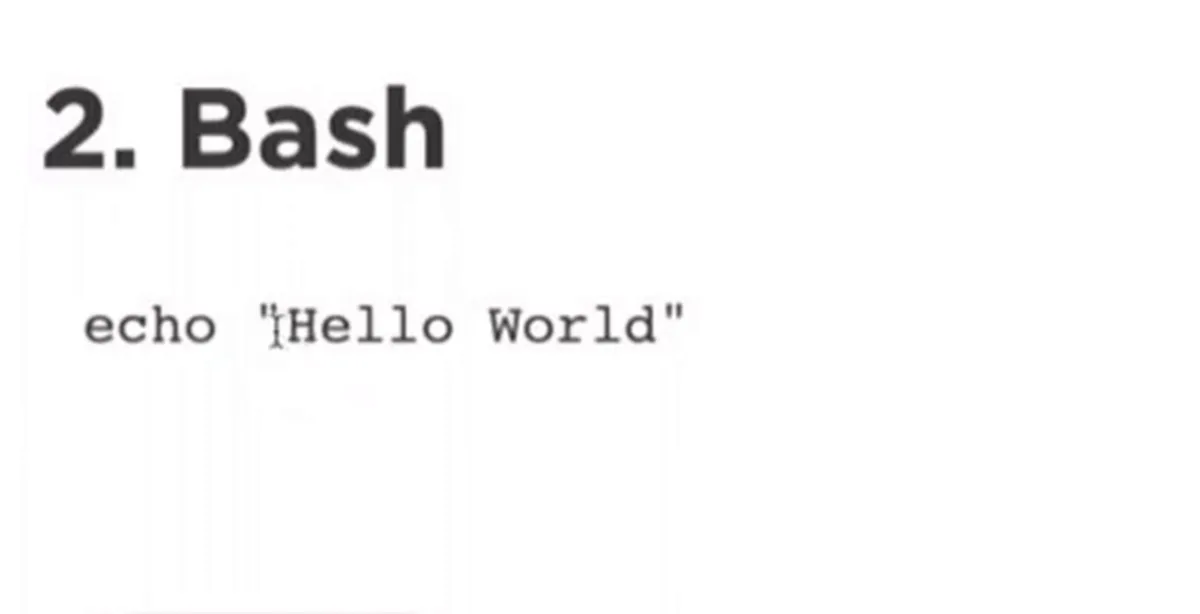
- In Bash (the shell language of Linux and the Mac Terminal) you write
echo, then the text in quotation marks:echo "Hello World". - That single line prints the message. Bash is often used for small scripts that automate tasks on a computer.
- Common mistake: forgetting the closing quotation mark. The shell keeps waiting for the rest of the text instead of running the line.
Step 4See the rules of BASIC: PRINT in uppercase
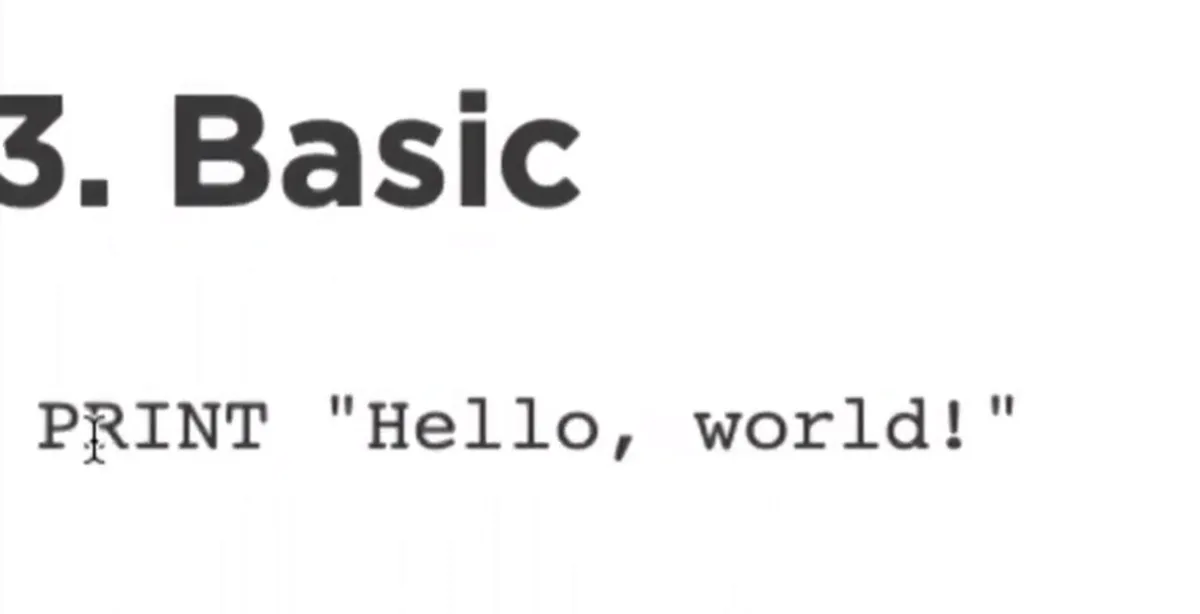
- In BASIC, the example is written with the keyword in uppercase:
PRINT "Hello, world!". - Same meaning as the Bash line, different rule: another keyword and another style. Bash and BASIC have different rules.
- Tip: uppercase or lowercase can matter. Python, for example, is case-sensitive:
printworks butPrintdoes not.
Step 5See the rules of C: more to write
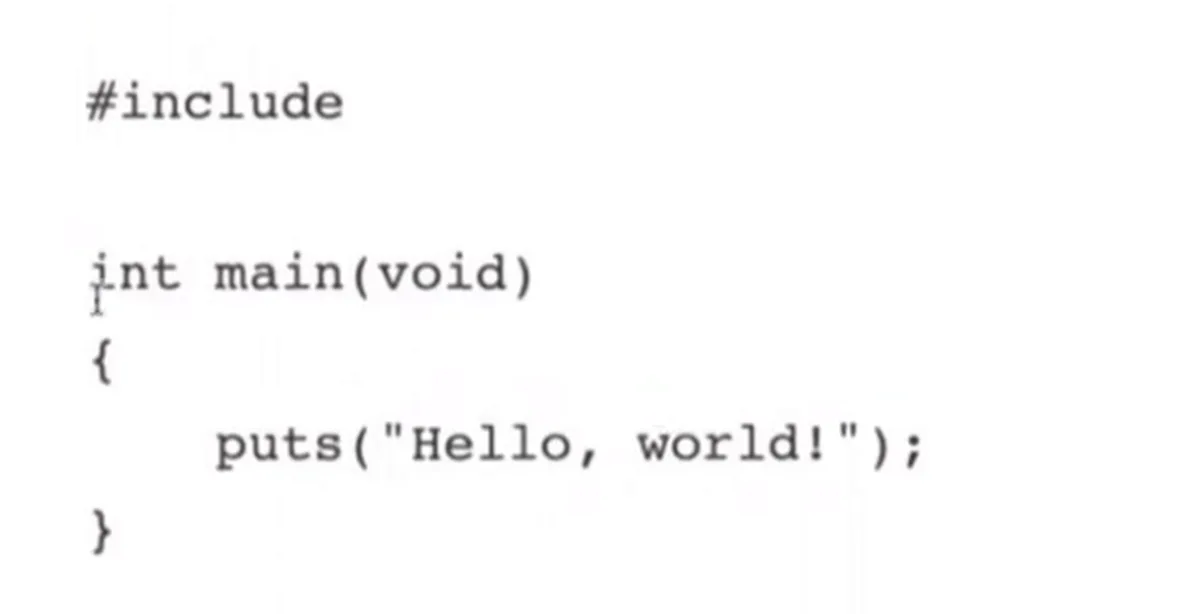
- In C you have to write more lines to do the same thing: an include line, a
mainfunction, curly braces and a semicolon at the end of the instruction. - The complete program is
#include <stdio.h>, thenint main(void) { puts("Hello, world!"); }. - Common mistake in C: a missing semicolon or brace. The compiler stops with an error and creates no program.
Note: The web page in the video shows only #include; the full line is #include <stdio.h>, which gives access to puts.
Step 6Notice that some languages need many lines
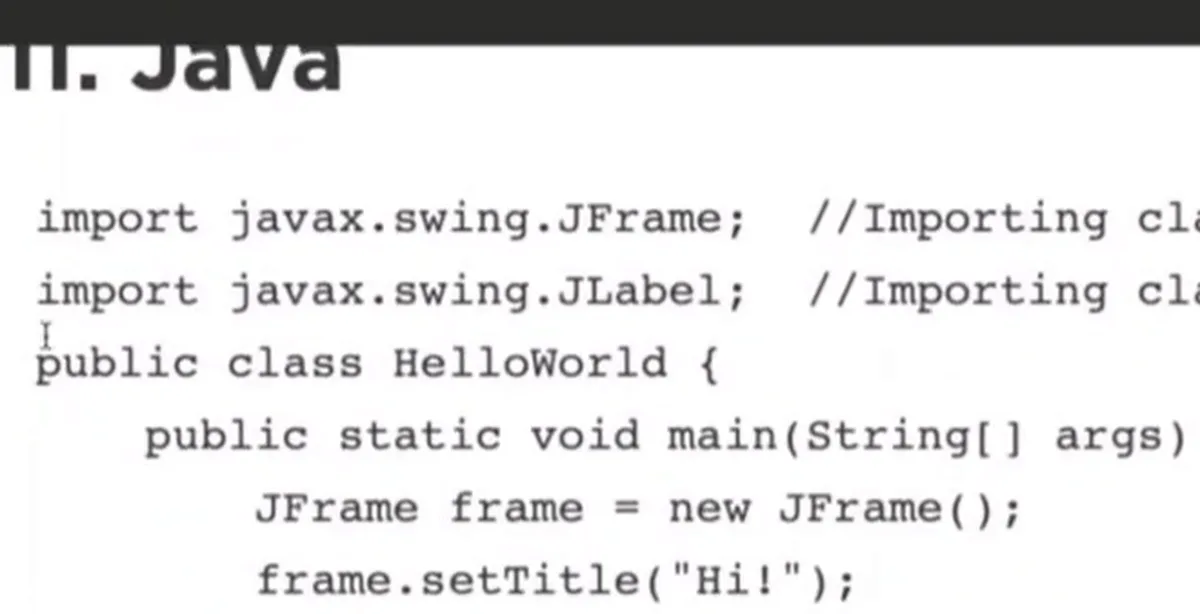
- There are many more languages: HTML, Java, JavaScript and others. Each one has its own rules, and you write more or less depending on the language.
- The Java example in the video opens a small window with a label, so it needs imports, a class, a
mainmethod and several more lines. - Why it matters: more lines is not better or worse. Each language is designed for different jobs; you have to learn its rules to make everything work.
Note: HTML is usually called a markup language, not a programming language: it describes the structure of a web page, while JavaScript adds the program logic.
Step 7Compare the same program side by side
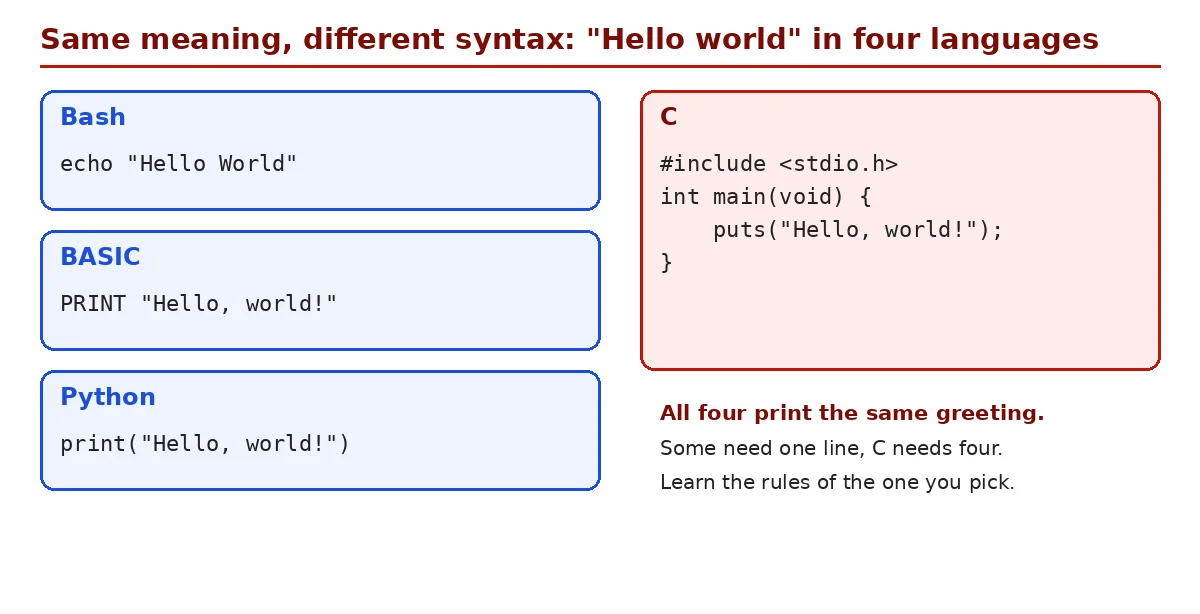
- Put the examples next to each other and you see the idea of the lesson: same meaning (semantics), different rules (syntax).
- Python, the language of this course, writes it as
print("Hello, world!"): lowercase, with parentheses. - When you learn a new language, writing Hello World first is a quick way to see its basic rules.
Step 8Learn the difference between high-level and low-level languages
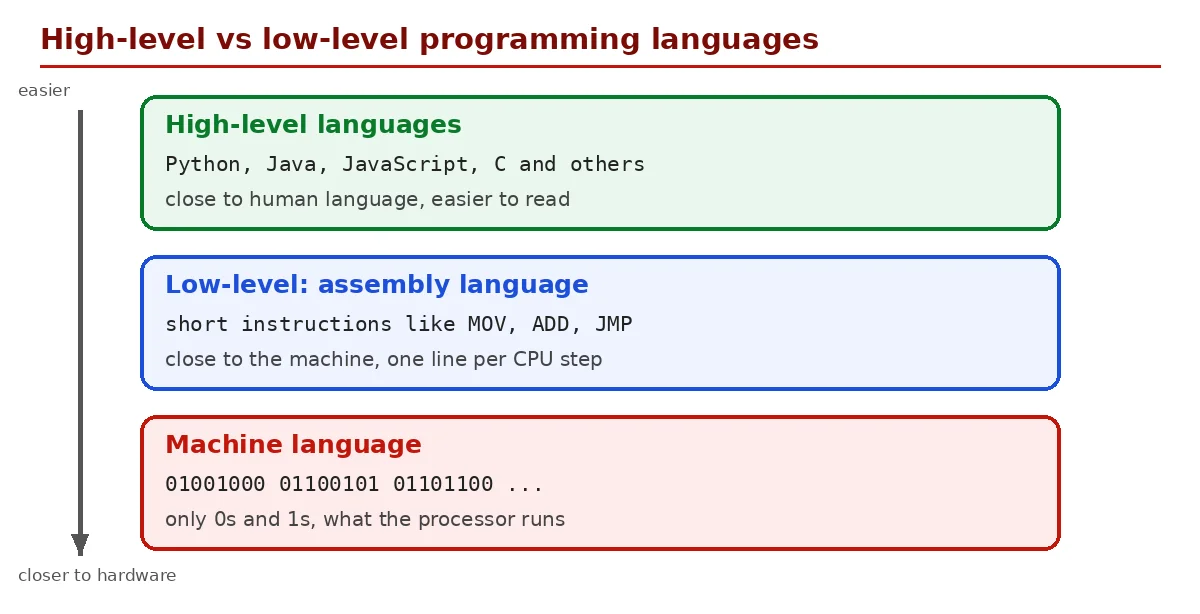
- High-level languages, such as C, Python, Java and JavaScript, are closer to human language and easier to read and write.
- Low-level languages, such as assembly, are close to the machine language: each instruction is a small step for the processor.
- Machine language is only 0s and 1s. You could type everything like
0011000..., but it would be far more complex; that is why so many higher-level languages exist.
Note: Some books call C a middle-level language, because it is higher than assembly but gives direct access to memory.
Step 9Choose a language for your platform and needs
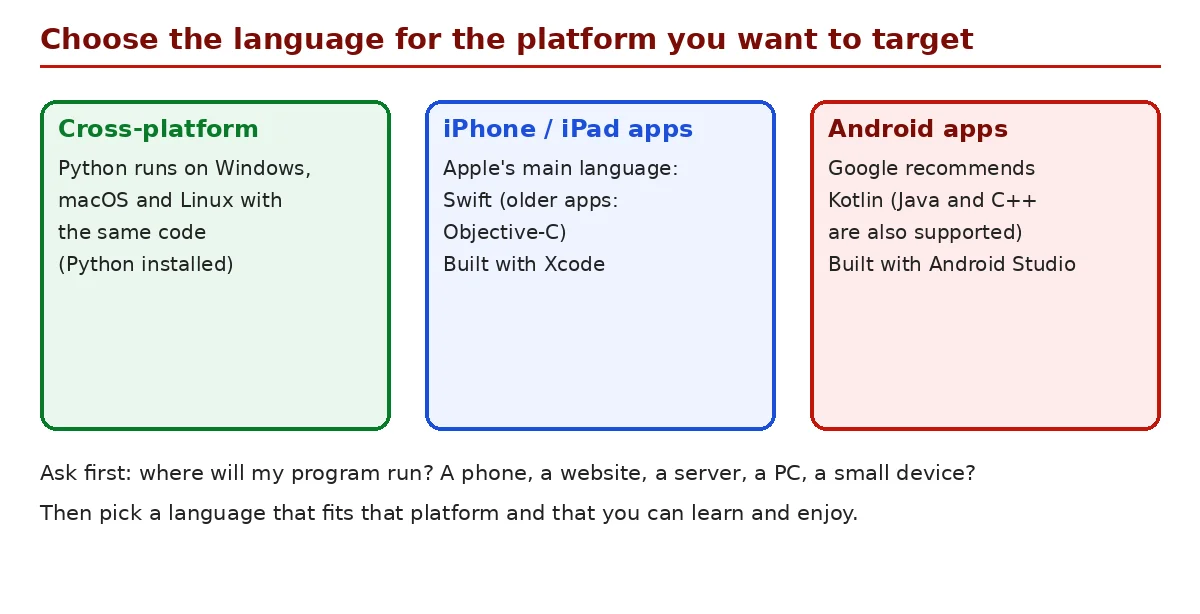
- The idea of having so many languages is that you can use the one that fits your needs.
- For something cross-platform, use Python or something similar. For an app only for iPhone, use Apple's language (Swift today); for Android only, use Android's language (Google recommends Kotlin).
- It depends on the hardware you want to code for: some platforms have their own language, others accept many.
Step 10Pick one language and learn its rules
- Do not try to learn every language at once. Pick one (in this course it is Python) and learn its rules well.
- Write and test small programs often; most beginner errors are syntax mistakes that are easy to fix once you read the error message.
- Next lessons: how to write source code as plain text and the difference between a compiler and an interpreter.
Bugs, crashes and syntax errors: what they mean
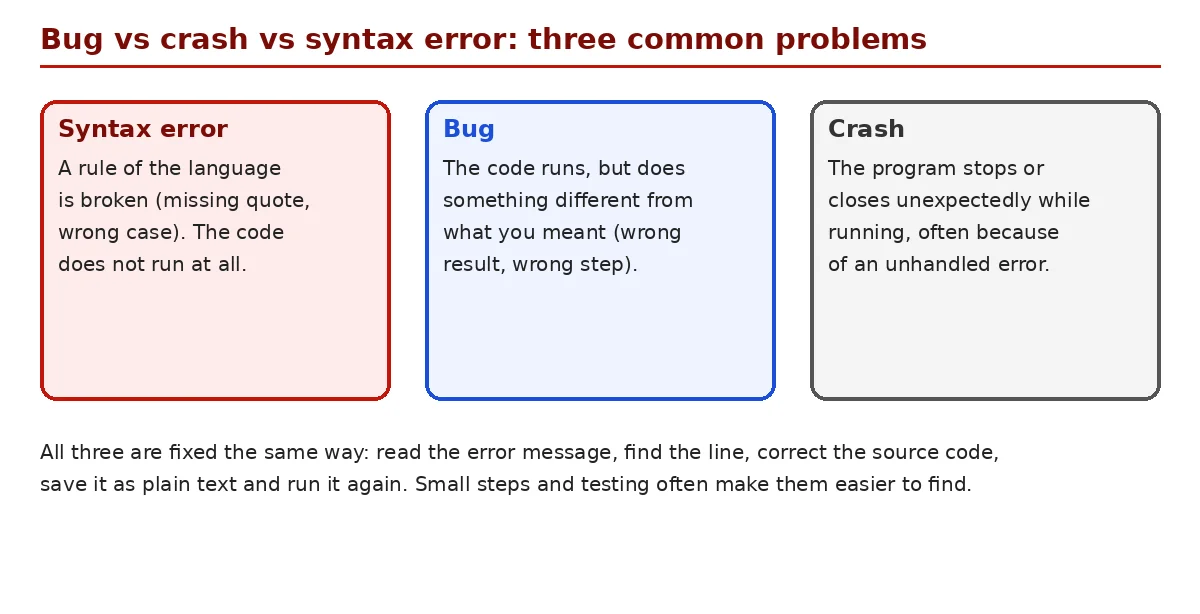
Because every language has strict rules, mistakes are part of programming. Three words you will hear all the time:
- Syntax error: you broke a rule of the language (a missing quotation mark, a wrong uppercase letter, a missing semicolon in C). The code does not run at all and the error message usually points to the line.
- Bug: the code follows the rules and runs, but it does something different from what you meant. The syntax is right, the meaning (semantics) is wrong.
- Crash: the program stops or closes unexpectedly while it is running, often because of an error the program did not handle.
The fix is always the same idea: read the message, find the line, correct the source code and run it again.
High-level vs low-level languages comparison table
| High-level language | Low-level (assembly) | Machine language | |
|---|---|---|---|
| Looks like | Words and symbols, close to English | Short instructions such as MOV or ADD | Only 0s and 1s |
| Examples | Python, Java, JavaScript, C | Assembly for a specific processor | Binary code of the CPU |
| Easy to read | Yes | Hard | Very hard |
| Tied to one processor | Usually not | Yes | Yes |
| Needs translation | Yes (compiler or interpreter) | Yes (assembler) | No, the CPU runs it |
Which programming language should a beginner learn?
There is no single answer, but the question from the video is the right one: what do you want to build, and where will it run?
- Cross-platform scripts, automation, data, first steps in coding: Python is a common choice because it runs on Windows, macOS and Linux and its syntax is short and readable.
- Websites: HTML and CSS for the page, JavaScript for the logic.
- iPhone and iPad apps: Swift (Apple introduced it in 2014; older apps use Objective-C).
- Android apps: Kotlin, Google's preferred language since 2019 (Java and C++ are still supported).
- Shell scripts on Linux or Mac: Bash.
The good news: once you learn one language well, the next one is much easier, because the ideas are the same and only the syntax changes.
Common beginner misconceptions
- "More lines means a better language." No. C needs more lines than Bash for Hello World, but each is made for different work.
- "I must learn machine language first." No. High-level languages exist precisely so you do not have to type 0s and 1s.
- "Uppercase or lowercase does not matter." In many languages it does. Follow the rules of the language you use.
- "Any text editor is fine for code." Only plain text editors or code editors. Word processors add formatting; see how to write source code in plain text.
- "Python files run by double-clicking." They usually open in an editor; you run them with the interpreter, see how to run Python from the command line.
Tips to learn your first programming language faster
- Start with Hello World in the language you picked, then change the text and run it again. Small changes teach you the rules quickly.
- Read the error message before changing anything: it usually names the line and the type of mistake (syntax, name, type).
- Type the examples yourself instead of copying and pasting; you will notice quotes, brackets and uppercase letters.
- Use a plain text or code editor with syntax colors, such as Visual Studio Code for Python.
- Learn one concept at a time: printing text, variables, conditions, loops, then functions.
- Keep your files organized in one folder with clear names and visible extensions (.py, .sh, .c).
- Practice a little every day. Programming is a skill; the rules become automatic with repetition.
Frequently asked questions
What is a programming language in simple words?
It is a language for giving instructions to a computer. You write the instructions following the language's rules, and a compiler or interpreter turns them into something the computer can execute.
What is the difference between syntax and semantics?
Syntax is the set of rules for how code must be written. Semantics is the meaning, what the code actually does when it runs.
What is the difference between high-level and low-level languages?
High-level languages like Python or Java are close to human language and easier to read. Low-level languages like assembly are close to the machine and are tied to a specific processor.
What is machine language?
It is the binary code of 0s and 1s that the processor executes directly. Every program ends up as machine language, no matter which language it was written in.
Is HTML a programming language?
HTML is usually called a markup language: it describes the structure of a web page. JavaScript is the programming language that adds logic to web pages.
Why are there so many programming languages?
Each one is designed for different needs and platforms, such as cross-platform scripts, websites, iPhone apps or Android apps. You choose the one that fits what you want to build.
What is the difference between a bug and a crash?
A bug is when a program runs but does the wrong thing. A crash is when it stops or closes unexpectedly while running.
Which language should I learn first?
Many beginners start with Python because it is readable and runs on Windows, macOS and Linux. Pick the one that matches what you want to build.
Watch the video


Comments
Comments appear after Gabriel reviews them.
Loading comments…