

Step-by-step guide
Compiler vs interpreter: the difference between compiled and interpreted programming languages, explained simply
Short answer: a compiler translates your whole program into machine code once, before it runs, and gives you a ready-to-run file such as a Windows .exe. An interpreter translates and runs the program line by line, every time it runs. Compiled programs are usually faster and keep the source code private; interpreted programs run on any system that has the interpreter and are easier to test and debug.
This is lesson 4 of my Python course (2021). In this guide you will go through the idea step by step: why your Python file does not do anything when you double-click it, why software downloads like Firefox come in different versions for Windows, Mac and Linux, and how a simple letter-to-the-president analogy explains the difference between compiling and interpreting. At the end you will know the pros and cons of each method, which languages use which, and where Python fits, plus a comparison table and an FAQ.
In this article
- Notice that a Python file does not run by itself
- Understand source code vs machine code
- See how compiled software is downloaded per platform
- Recognize the file you get for each system
- Learn what compiling does: translate everything at once
- Learn what interpreting does: translate line by line
- Use the letter analogy to remember the difference
- Remember: compiled programs must be rebuilt for each platform
- See cross-platform in action with browser apps
- Compare speed, security and debugging
- Match languages to each method and choose
- Where Python fits: compiled to bytecode, then interpreted
- Compiler vs interpreter comparison table
- Common misconceptions about compiling and interpreting
- Troubleshooting: why my program will not run
- Tips: which approach should a beginner learn first?
- Frequently asked questions
- Watch the video
Step 1Notice that a Python file does not run by itself
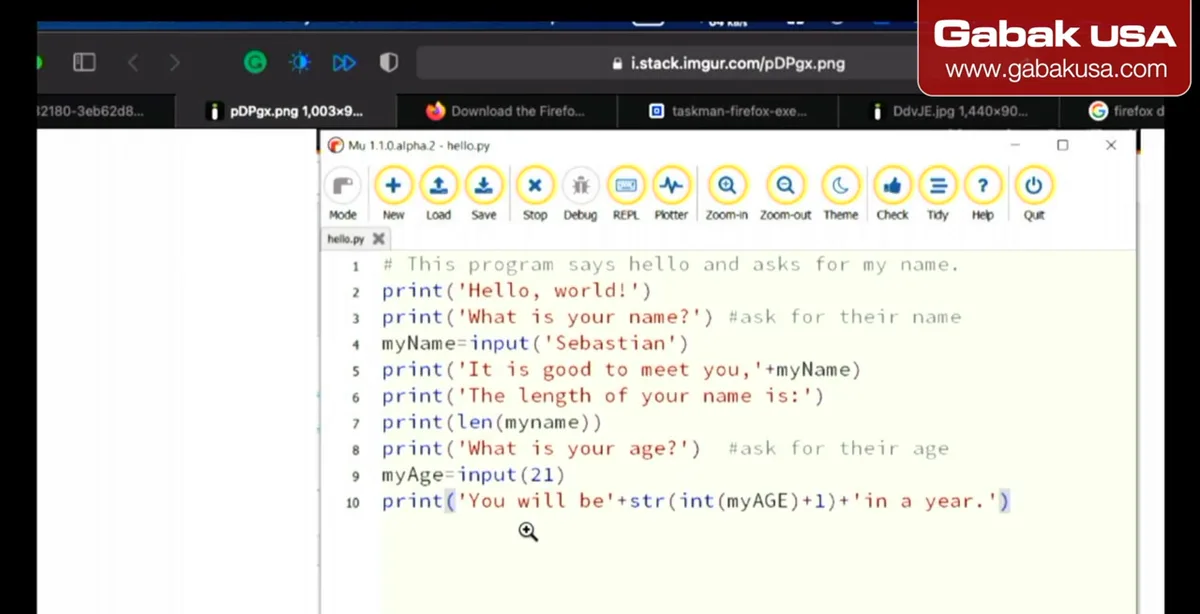
- Double-click a
.pyfile and it usually just opens in an editor like Notepad or TextEdit: you see the code, but nothing runs. - That is because a Python file is source code, text written for humans. The computer only understands machine code, so something has to translate it first.
- For Python that translator is the interpreter; for a language like Pascal you first compile the code to get an executable file, and then it runs.
Step 2Understand source code vs machine code

- Source code is what you write: lines 1, 2, 3... in a language like Python, C or PHP.
- Machine code is what the processor executes. Both compiling and interpreting end in machine language; the difference is when and how the translation happens.
- Keep this picture in mind: the same program can be translated all at once (compile) or one line at a time (interpret).
Step 3See how compiled software is downloaded per platform
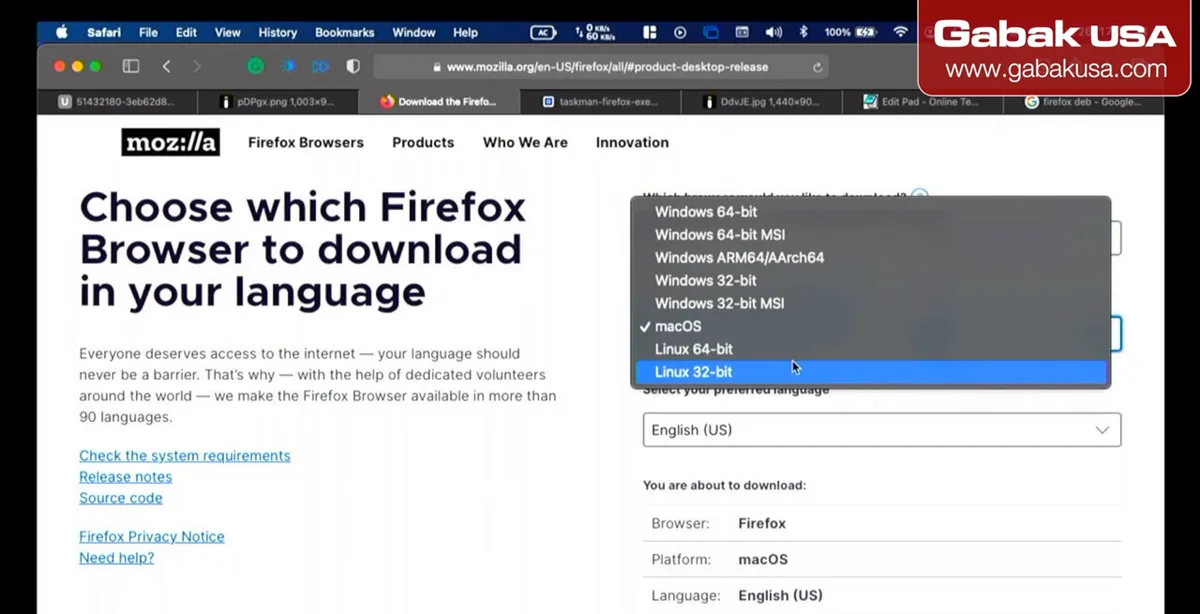
- Open the Firefox download page and look at the platform menu: Windows 64-bit, Windows 32-bit, macOS, Linux 64-bit, Linux 32-bit and more, plus many languages.
- Each option is a separate build: the program was compiled once for each operating system and processor type.
- This is the clearest everyday example of compiled software: you pick the version made for your machine.
Step 4Recognize the file you get for each system
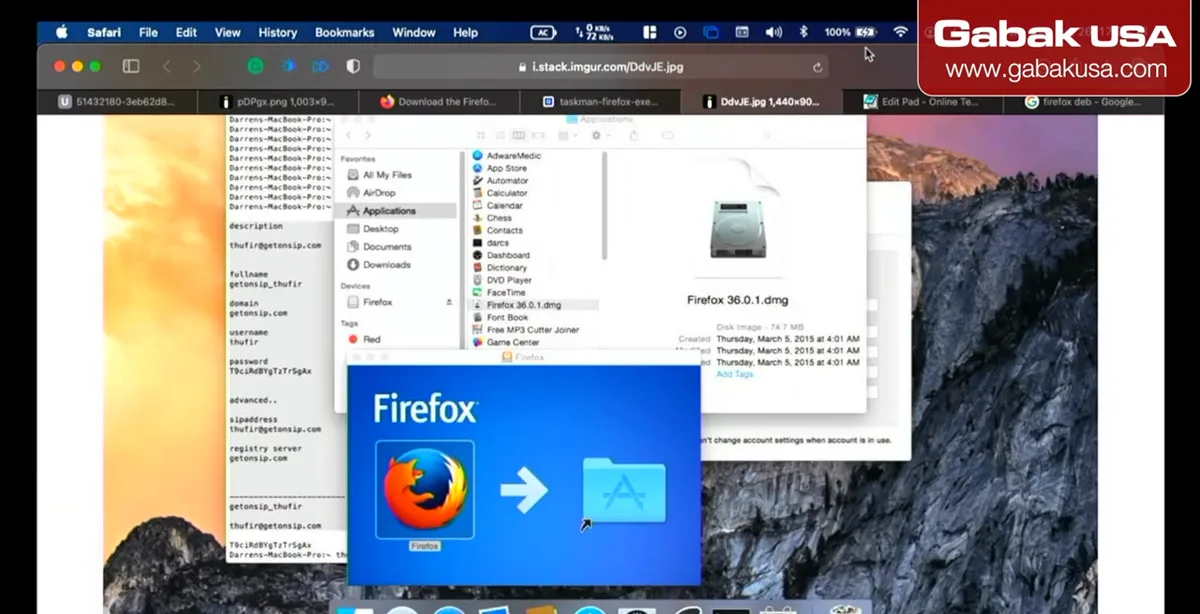
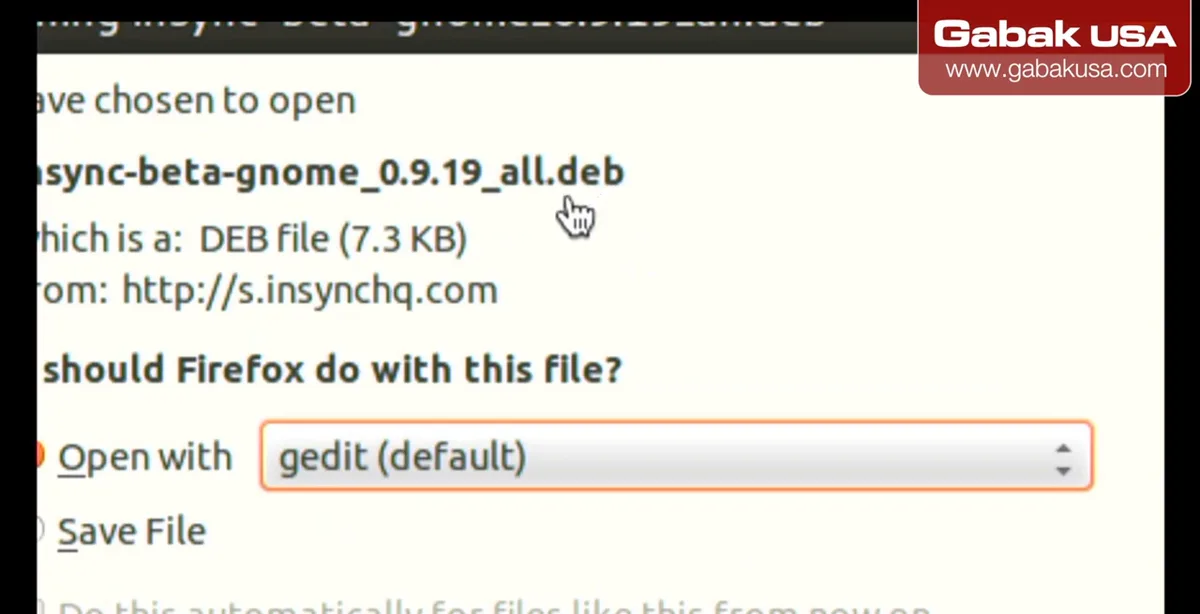
- On Windows you get an executable such as firefox.exe; on a Mac you get a .dmg disk image with the app inside; on Debian or Ubuntu Linux you get a .deb package.
- Each file contains machine code made for that system, so it is ready to go: download, install, run.
- Common mistake: downloading the Windows .exe on a Mac (or the reverse). It will not open, because it was compiled for another platform.
Step 5Learn what compiling does: translate everything at once
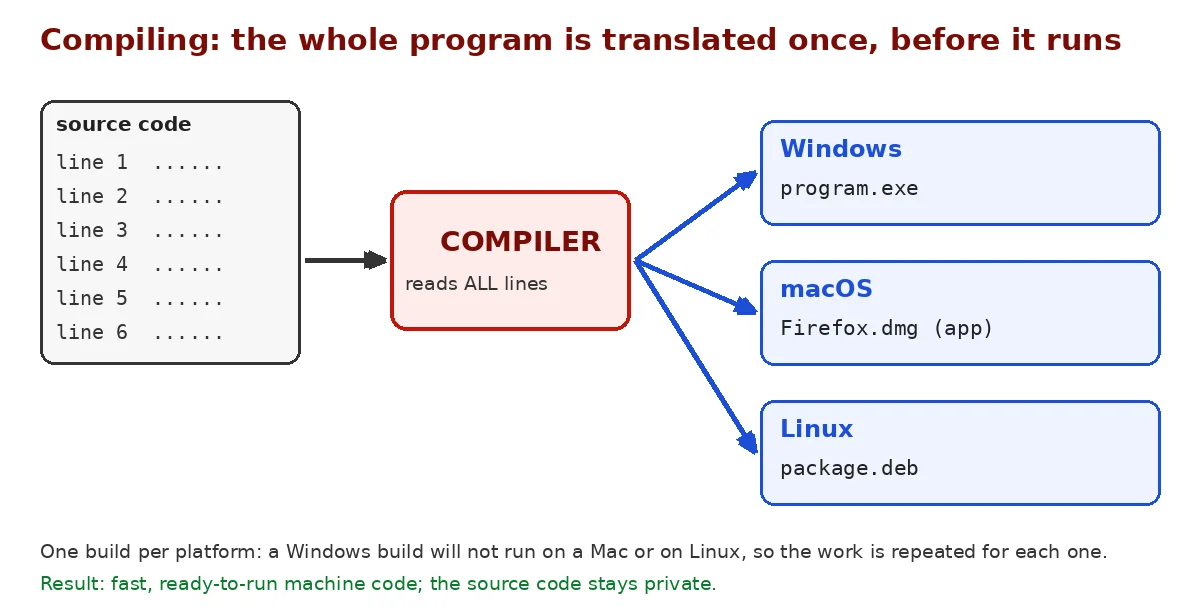
- A compiler takes all the lines of your program and turns them into one file, for example an executable for Windows.
- The translation happens once, before the program runs, so when you start it, it is already machine code and runs fast.
- The downside: every time you fix a bug or add something, you must compile again, and that takes time.
Step 6Learn what interpreting does: translate line by line
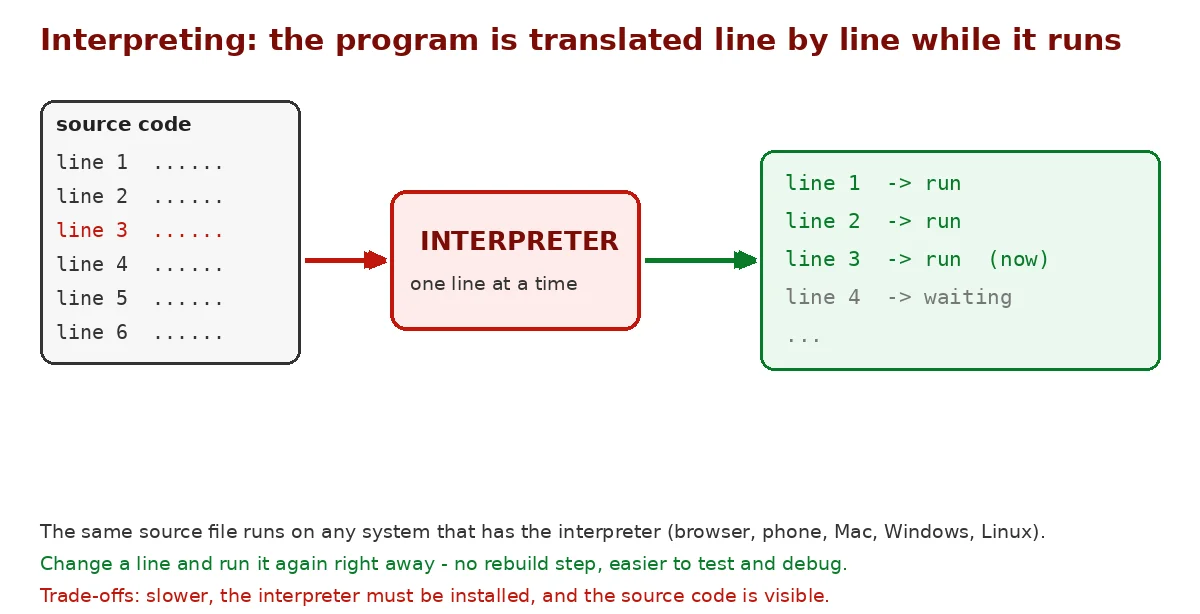
- An interpreter grabs line by line: it reads line 1 and runs it, then line 2, then line 3, while the program is running.
- Because nothing has to be rebuilt, you can change a line and see the result right away, which makes testing simple.
- The cost is speed: the translation work happens again every time the program runs.
Step 7Use the letter analogy to remember the difference
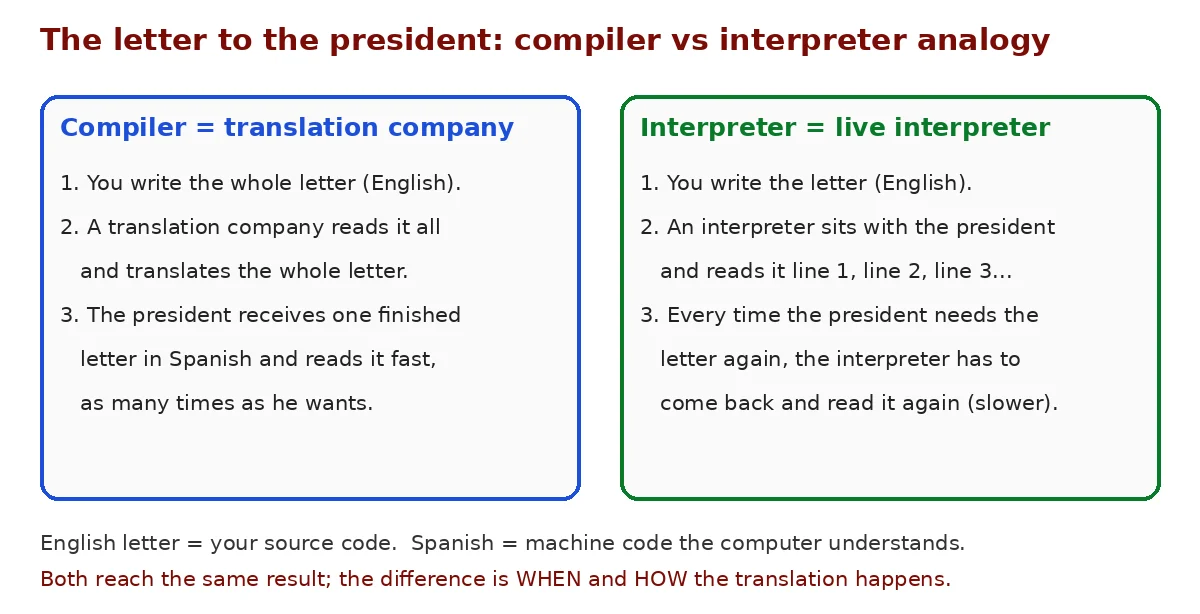
- Imagine you send a letter in English to the president of Mexico, who only reads Spanish.
- Compiling = a translation company reads the whole letter, translates it, and the president gets a finished Spanish letter he can read quickly, anytime.
- Interpreting = an interpreter sits with the president and reads it line one, line two, line three. Every time he needs the letter again, the interpreter must come back: that is why interpreting is slower.
Step 8Remember: compiled programs must be rebuilt for each platform
- A compiled program is not cross-platform. If you compile only for Windows, Mac and Linux users cannot run it.
- To share it, you repeat the process for Mac, for Linux, and even for different processors, such as Apple M1 (ARM) versus Intel chips.
- This is the extra step the video lists as a con: more builds to make and to update every time the code changes.
Step 9See cross-platform in action with browser apps
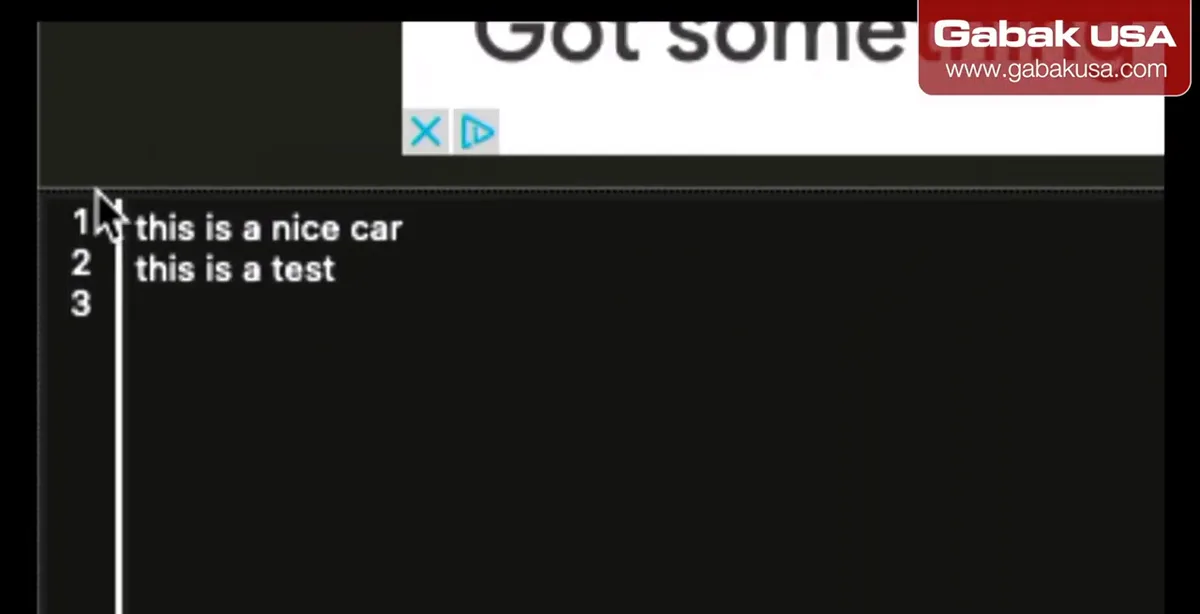
- Open a web app like editpad.org and type a few lines: it works in the browser, without downloading Notepad or any program.
- The same idea powers Google Docs, online CRM tools and QuickBooks Online: software as a service that runs on any computer or phone with a browser.
- Code delivered to and run by the browser, like JavaScript, is the interpreted world's big advantage: it runs anywhere the interpreter (here, the browser) exists.
Note: The flip side: if the device does not have the interpreter, the program will not run at all.
Step 10Compare speed, security and debugging
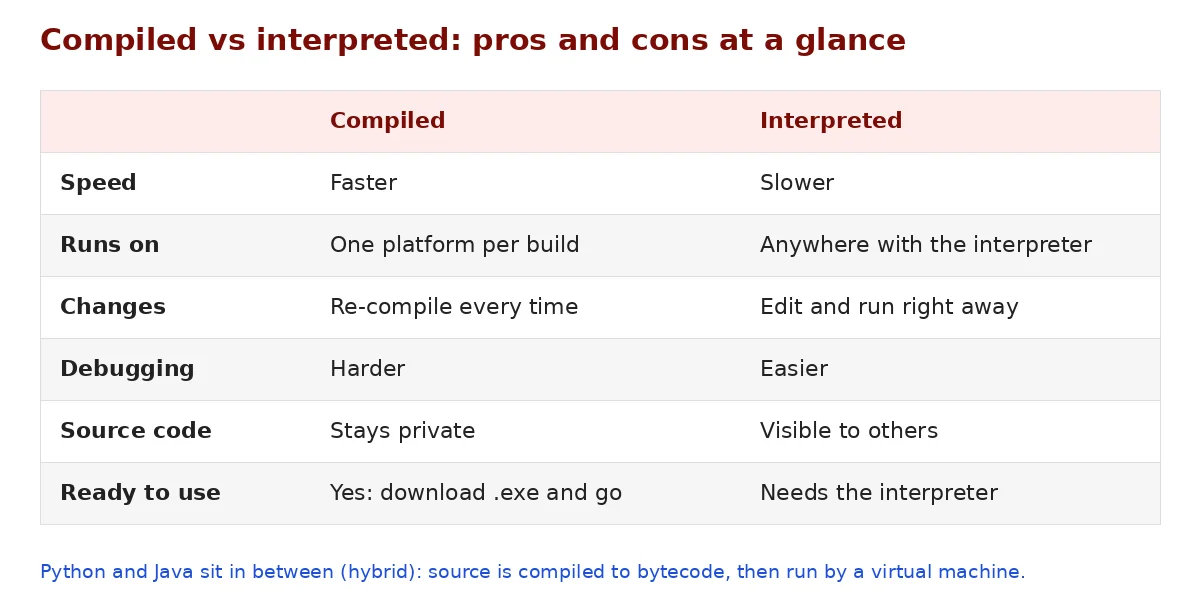
- Compiled: faster, ready to run, and the source code stays private, so it is harder for someone to copy your software and claim it as their own.
- Interpreted: cross-platform, easy to test and easier to debug, but slower, and the source code is kind of public, which makes it easier to copy.
- Neither is better in every case; the right choice depends on what your project needs.
Step 11Match languages to each method and choose
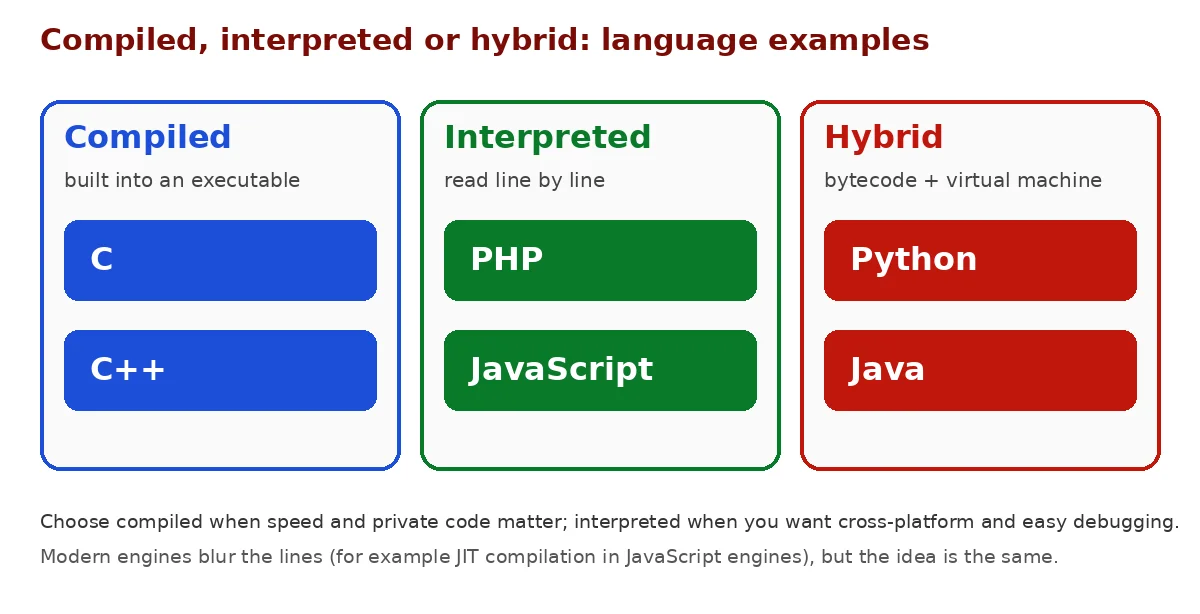
- Examples from the class: C and C++ are compiled; PHP and JavaScript are interpreted; Python and Java are hybrids, something between compiling and interpreting.
- Choose compiled when you need something very fast and secure; choose interpreted when you want cross-platform and easy debugging.
- Hybrids try to give you the best of both worlds, which is one reason Python is such a popular first language.
Where Python fits: compiled to bytecode, then interpreted
People often call Python an interpreted language, and in the video it sits in the hybrid group. Both are true in practice. According to the official Python glossary, Python source code is compiled into bytecode, an internal intermediate language, and that bytecode is cached in .pyc files (you will see them in a __pycache__ folder) so the same file starts faster the second time. The bytecode then runs on the Python virtual machine.
What this means for a beginner:
- You never run a separate compile command: you just type
python3 file.pyand Python does both parts. - You still need Python installed on every computer that runs your script, like any interpreter.
- Java works in a similar way: code is compiled to bytecode that runs on the Java virtual machine.
To try it yourself, install Python first (on a Mac) and then run a .py file from the command line on Windows.
Compiler vs interpreter comparison table
| Compiler | Interpreter | |
|---|---|---|
| When it translates | Once, before the program runs | Every time, while it runs |
| How much at a time | The whole program | One line at a time |
| Output | Executable file (.exe, app in a .dmg, .deb package) | No separate file, runs the source |
| Speed | Faster | Slower |
| Platforms | One build per system and processor | Any system with the interpreter |
| After a code change | Compile again | Run again right away |
| Debugging | Harder | Easier |
| Source code | Private | Visible |
| Examples (from the class) | C, C++ | PHP, JavaScript |
Common misconceptions about compiling and interpreting
- "Interpreted means not real programming." Wrong: huge websites and apps run on interpreted and hybrid languages; the method is a trade-off, not a quality level.
- "Compiled code can never be read." It is much harder to read than source code, which is why the video calls it more private, but it is not a lock. Keep your source code secure either way.
- "A language is only one or the other." Many modern tools mix both. Python and Java use bytecode, and today's JavaScript engines in browsers also compile code while it runs (just-in-time compilation) to make it faster.
- "Double-clicking a .py file should run it." On most systems it opens in an editor. Run it with Python instead, from the terminal or from an editor's Run button.
Troubleshooting: why my program will not run
| What happens | Why | What to do |
|---|---|---|
| Double-clicking a .py file opens the code in an editor | The file is source code; the system opened it as text | Run python3 file.py (or py file.py on Windows) in a terminal |
| A downloaded program will not open | It was compiled for another platform | Download the build for your system (Windows, macOS, Linux, 32 or 64-bit, ARM or Intel) |
| *python3: command not found* | The interpreter is not installed | Install Python 3 from python.org |
| Your fix does not appear in a compiled program | You changed the source but did not rebuild | Compile again, then run the new executable |
| Code works on one PC but not another | Missing interpreter or different version | Install the same version on both computers |
Tips: which approach should a beginner learn first?
- Start with an interpreted or hybrid language such as Python: you see results right away and errors are easier to find, exactly the advantages listed in the video.
- Learn what the files mean:
.pyis source code,.exeand.appare compiled programs,.deband.dmgare packages for Linux and Mac. - Get comfortable with a good editor; see how to install Visual Studio Code on Windows for Python.
- When you later need raw speed or to ship a program to people who do not have Python, look at compiled languages like C or C++.
- Protect your source code: keep backups and do not publish it if you do not want it copied.
Frequently asked questions
What is the difference between a compiler and an interpreter?
A compiler translates the whole program into machine code once, before it runs, and produces an executable. An interpreter translates and runs the program line by line every time it runs.
Is Python compiled or interpreted?
Both, in a way. Python compiles your source code to bytecode automatically and then runs it on the Python virtual machine, so it is usually called interpreted or hybrid.
Which is faster, compiled or interpreted code?
Compiled code is usually faster, because the translation happens once in advance instead of every time the program runs.
Why is compiled software not cross-platform?
Because the compiler produces machine code for one operating system and processor. A Windows build will not run on a Mac or Linux, so each platform needs its own build.
What are examples of compiled and interpreted languages?
C and C++ are classic compiled languages. PHP and JavaScript are usually described as interpreted, and Python and Java are hybrids that use bytecode.
Why does my Python file not run when I double-click it?
A .py file is source code, so the system often opens it in a text editor. Run it with the interpreter instead, for example python3 file.py in a terminal.
Is interpreted code less secure?
The source code is easier to see and copy, because it is shipped as readable text. Compiled programs keep the source private, which makes copying harder.
Is an interpreter easier to debug?
Usually yes. You can change a line and run it again right away without a rebuild, so finding and fixing bugs is faster.
Watch the video


Comments
Comments appear after Gabriel reviews them.
Loading comments…