
Step-by-step guide
Budget AM4 PC upgrade: how to check an ASUS Prime B450M-A II, Ryzen 5 5500, 32 GB RAM and Thermalright Assassin bundle before you build
What you will do: check, part by part, a budget AM4 PC upgrade kit – an AMD Ryzen 5 5500 + ASUS Prime B450M-A II motherboard bundle, 32 GB of DDR4 RAM (2 x 16 GB) and a Thermalright Assassin X 120 SE Plus tower cooler – so you know it is compatible, what the board can do and whether the cooling is enough, before you start the build. In the video all of these parts together cost about $350 on Amazon, and the cooler alone was about $22.
This guide covers the parts check shown in the video. For the hands-on CPU and cooler installation, see how to install an AMD Ryzen CPU and cooler on an AM4 motherboard.
Step 1: List what is in the budget AM4 upgrade kit
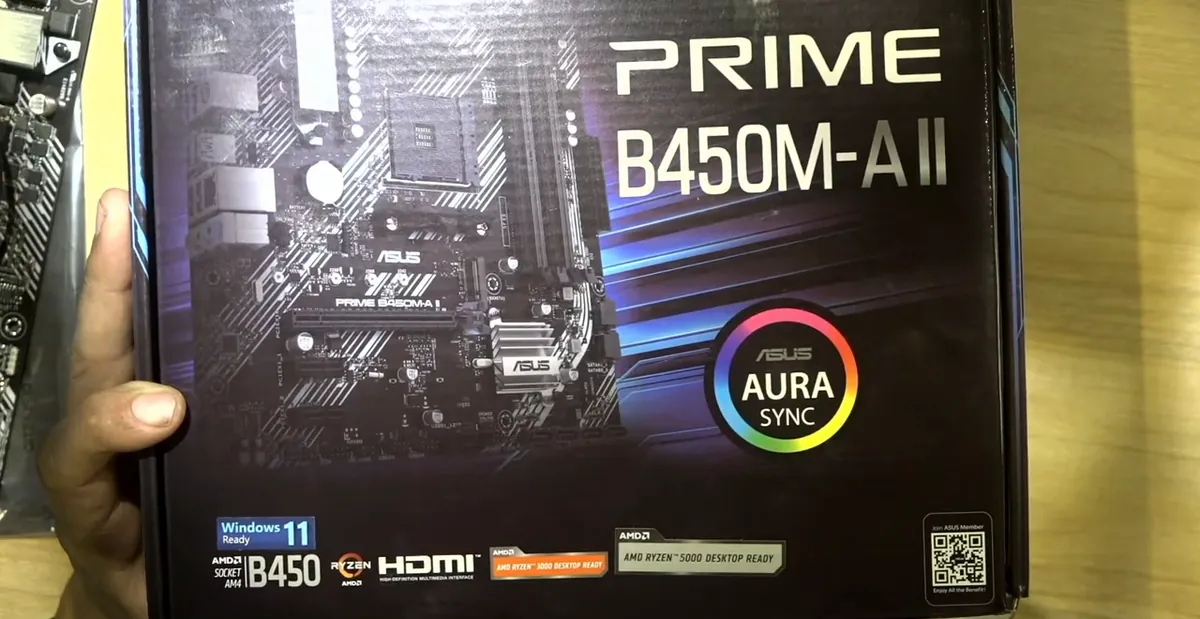
- The kit: an AMD Ryzen 5 5500 (6 cores, 12 threads) bundled with an ASUS Prime B450M-A II, plus 32 GB of DDR4 as two 16 GB sticks and a Thermalright Assassin tower cooler.
- Six cores and twelve threads are plenty for most people: browsing, email, office work and some basic games.
- Two 16 GB sticks are meant for dual channel; if a listing does not say it is a dual-channel kit, a single 32 GB stick is the other option.
Note: The video was used for an economical repair for a customer, not a gaming build.
Step 2: Make sure the CPU and motherboard work together out of the box
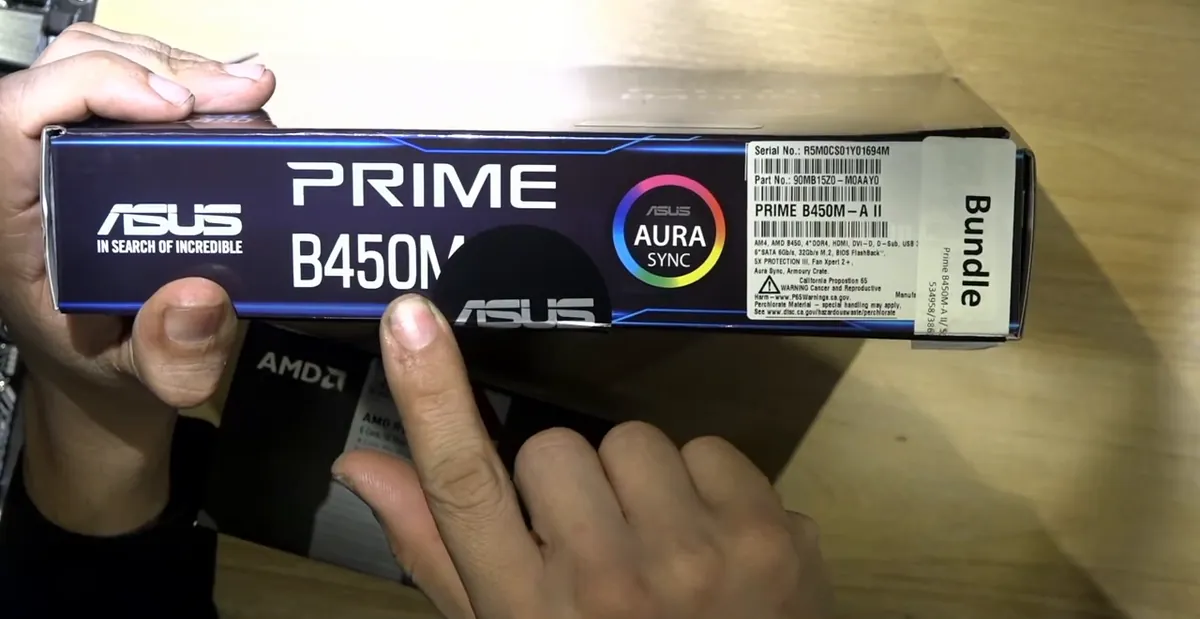
- If you buy the CPU and the motherboard separately, confirm they are compatible before you order.
- The cheapest board may only support your CPU after a BIOS update, and without another compatible CPU lying around you may not be able to do that update.
- Buying a matched bundle avoids wasting time and money on extra parts just to get the PC to start.
Caution: A CPU that the board's current BIOS does not support will not work until the BIOS is updated.
Step 3: Read the motherboard's key specs (AM4, B450, DDR4, M.2, PCIe)
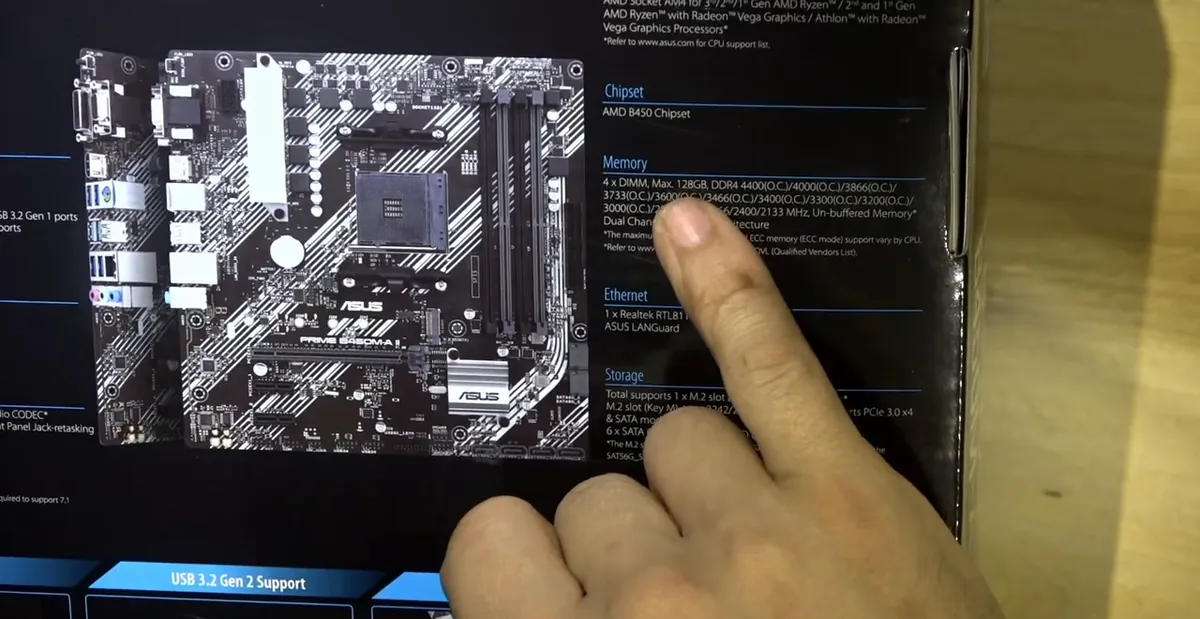
- Socket AM4, AMD B450 chipset; the box lists support for 1st, 2nd and 3rd gen Ryzen, Ryzen with Radeon Graphics and Athlon.
- Four DDR4 memory slots; always check that the RAM you buy is compatible with the board.
- Storage: an M.2 slot and several SATA ports, with RAID 0/1 support.
- Expansion: one PCIe 3.0 x16 slot for a video card plus smaller PCIe 2.0 x1 slots; also 1 Gb Ethernet, USB 3.2 Gen 2 (10 Gbps) and an Aura Sync RGB header.
Step 4: Check BIOS FlashBack and the protection features
- BIOS FlashBack lets you reflash the BIOS from a USB thumb drive if something goes wrong.
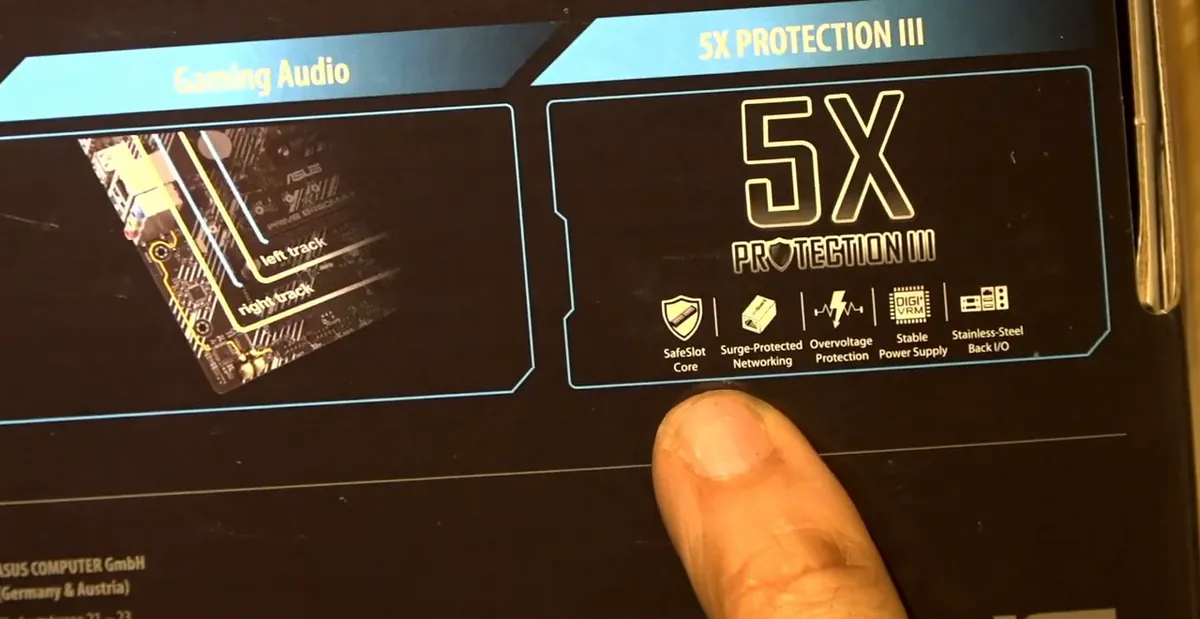
- 5X Protection III: SafeSlot, surge-protected LAN, overvoltage protection, stable power and a stainless steel back I/O panel.
- The board is labeled Windows 11 ready.
Step 5: Decide between onboard video and a separate video card
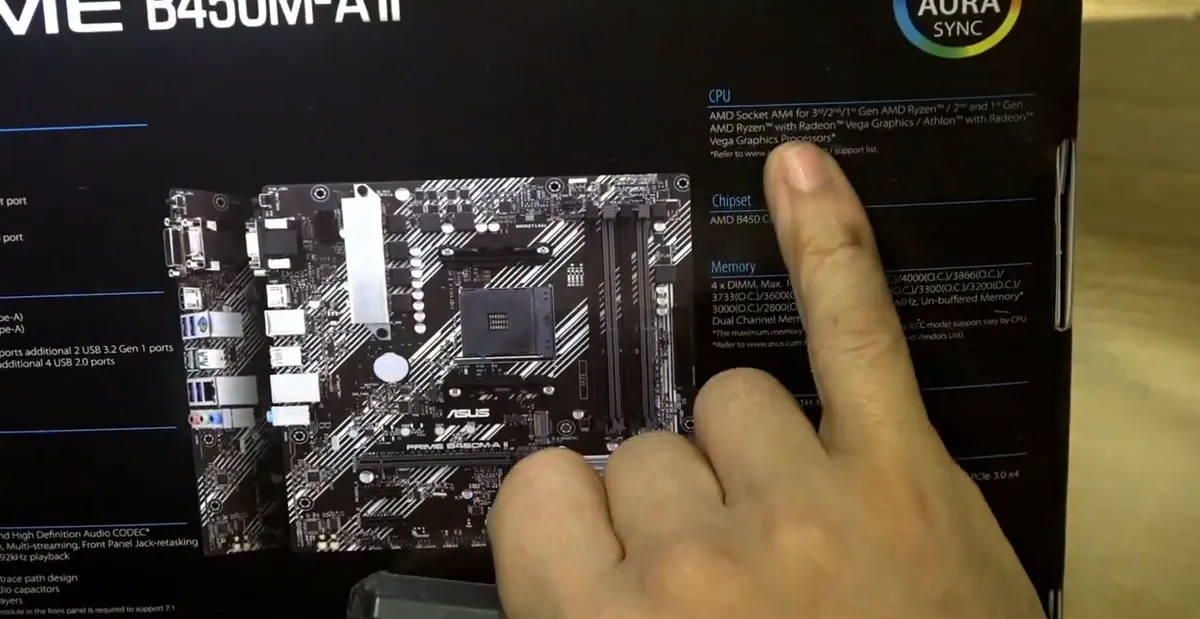
- The board has video outputs, which are fine for browsing, email and basic games – not for real gaming.
- If you are a gamer, add a separate video card in the PCIe x16 slot.
- Having onboard video is a useful backup to hand the customer something that works if a video card fails.
Note: The rear video outputs only work with an AMD processor that has built-in Radeon graphics (the box lists “Ryzen with Radeon Graphics”). Check your exact CPU on AMD's spec page before counting on them.
Step 6: Look at the stock cooler's limits
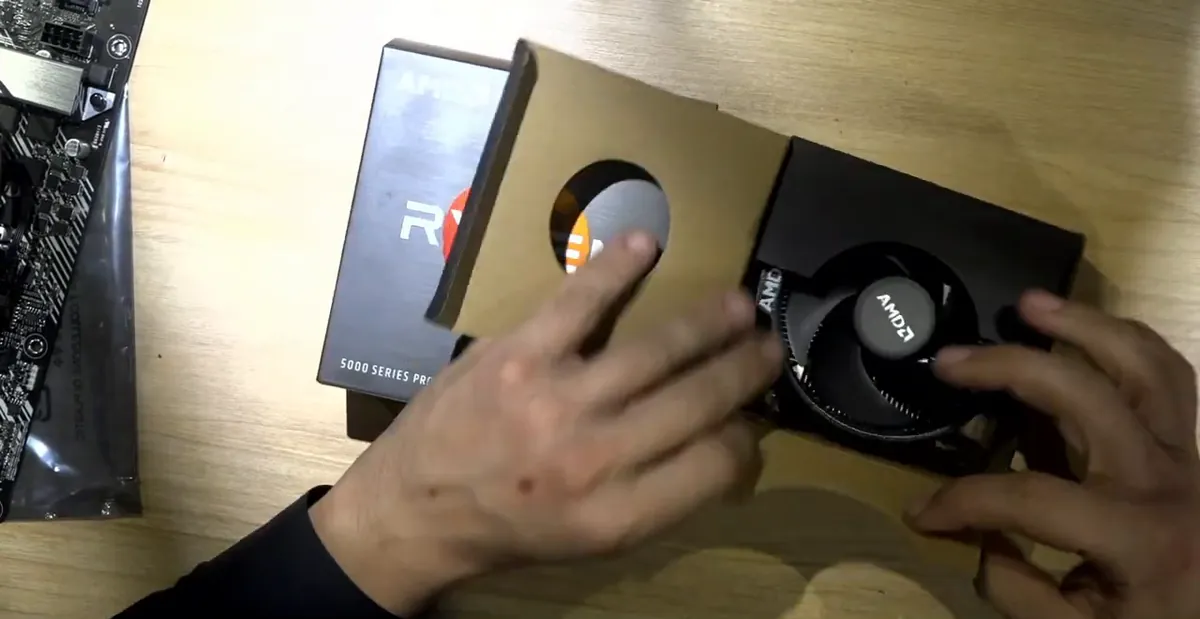
- This Ryzen box includes a small stock heatsink with one fan.
- If you work somewhere hot (like the desert) or stress the computer a lot, this heatsink may not be enough.
- Most modern CPUs slow down or shut off by themselves when they get too hot, but a better cooler avoids that.
Step 7: Check the tower cooler's socket support
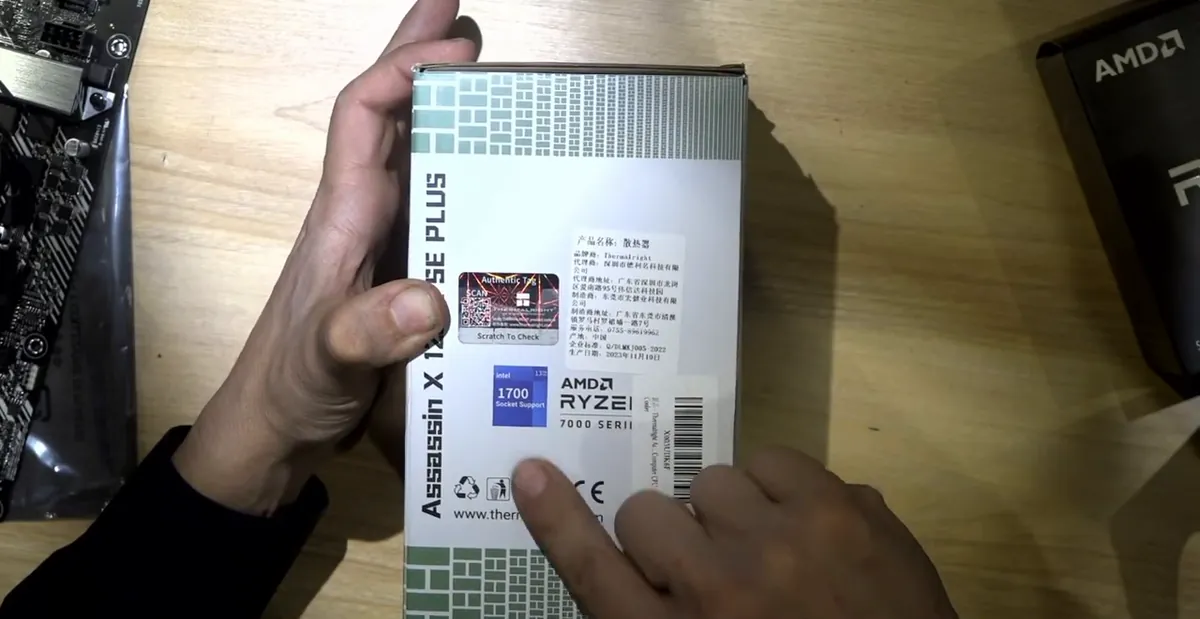
- The Thermalright Assassin X 120 SE Plus works with Intel LGA 1700, 1200 and 115x and AMD AM4 and AM5.
- The box carries a hologram label.
- At about $22 it is a very economical upgrade over the stock cooler.
Step 8: Read the fan specs (speed, noise, bearing)
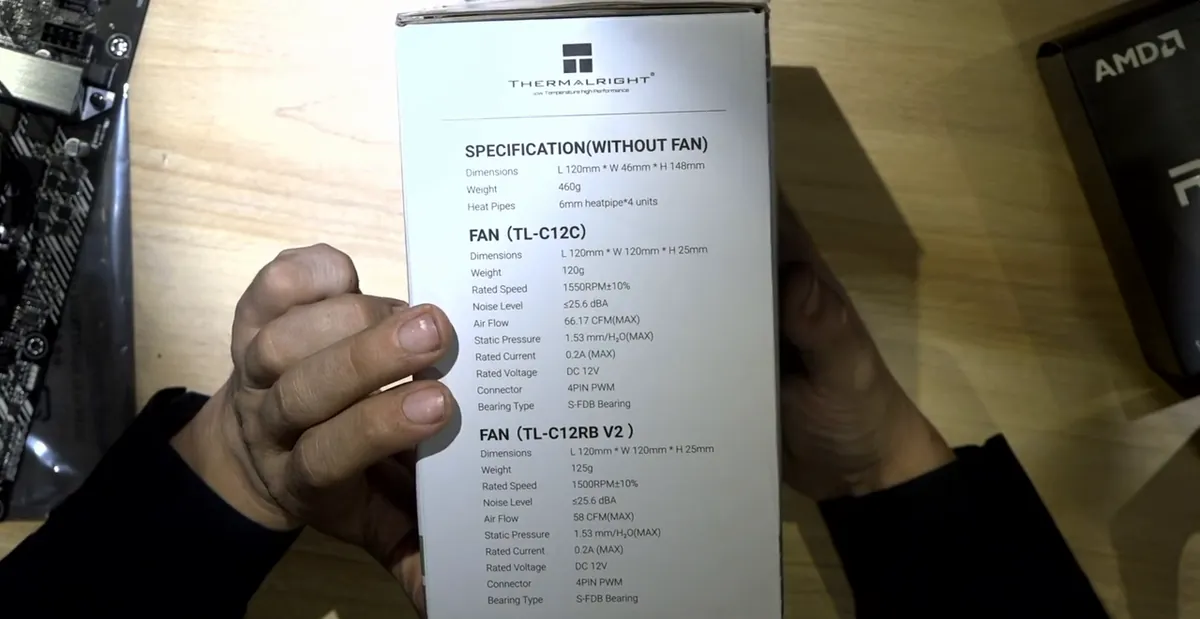
- The sheet lists dimensions, 1500 RPM fan speed, a low noise level of about 25 dBA, airflow and static pressure.
- The fan uses an S-FDB bearing rather than a basic sleeve-type fan.
- Bigger, slower fans are quieter than the small stock fan.
Step 9: Compare the tower cooler with the stock cooler
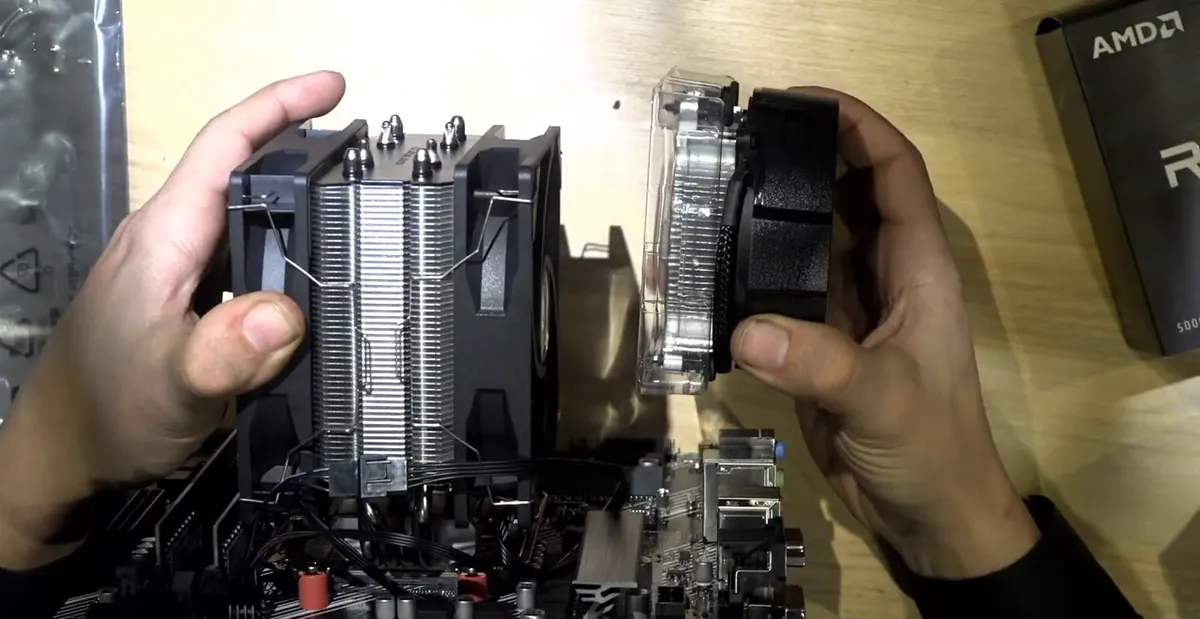
- The tower cooler is much bigger than the factory cooler and has two fans.
- If one fan fails, the second fan and the large heatsink still keep the CPU cool, so it is unlikely to burn.
- Next: install the CPU and cooler on the AM4 board (see the related guide linked at the top).
AM4 vs AM5: why the socket matters on a budget build
The video prefers AM4 for this kind of build. On AM4 the pins are on the CPU, so the motherboard socket itself is very hard to damage; on AM5 the pins are in the motherboard and can get damaged quickly. Treat the CPU carefully and an AM4 system can last a very long time.
Frequently asked questions
Is a Ryzen 5 5500 enough for most people?
In the video it is described as plenty for most people: 6 cores and 12 threads for browsing, email, office work and some basic games. For serious gaming add a separate video card.
Why buy the CPU and motherboard as a bundle?
Because they are meant to work together out of the box. A cheap board bought separately might need a BIOS update before it supports your CPU, and you may need another CPU to do that update.
Is the stock Ryzen cooler good enough?
For light use it can be, but it is a small heatsink with one fan. In hot places or under heavy load, a tower cooler like the Thermalright Assassin (about $22 in the video) cools better and keeps working even if one of its two fans fails.
Should I use two 16 GB sticks or one 32 GB stick?
Two 16 GB sticks are normally used in dual channel. If you are not sure your sticks are a dual-channel kit, one 32 GB stick is the alternative mentioned in the video.
Comments
Comments appear after Gabriel reviews them.
Loading comments…