
Step-by-step guide
How to stake crypto without a minimum or a server using Binance.US
Short answer: you can stake crypto without a minimum and without running your own server by using an exchange's staking service. On Binance.US you open Staking, pick a coin, buy a small amount if you don't have it, choose how much to stake, turn on auto-restake, review the rewards schedule and unstaking period, and confirm.
Running your own staking computer means buying expensive equipment, keeping the computer on 24/7 and dealing with blackouts, outages or a lost internet connection, when things stop working and you can start losing crypto. Many networks also ask you to hold a large amount of their coin before you can even start. In this guide you will see the exchange route step by step, the way it was done in the video with about $3 of Polkadot (DOT), plus what the rewards looked like two or three weeks later.
The video was recorded in September 2022. Rates, coins and rules on Binance.US have changed since then, so the numbers here are examples from the screen at that time, not current offers. This is not financial advice.
Step 1: Understand why staking at home needs so much
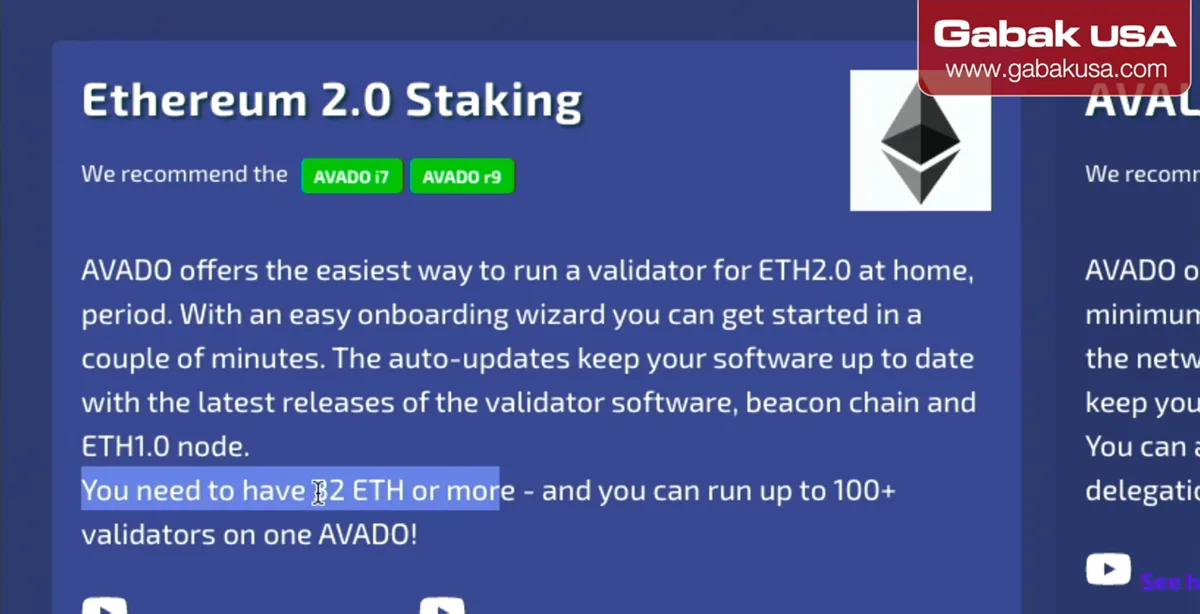
- Most proof-of-stake coins require you to hold a large amount of the coin to run your own validator. To stake Ethereum yourself you need 32 ETH or more, as the page in the video says.
- Other coins work in a similar way: usually you need a minimum amount before you can start.
- On top of that, the computer has to stay online. On Ethereum, a validator that is offline misses rewards and gets small penalties, which is why blackouts and internet outages are a real problem.
Step 2: Compare the cost of dedicated staking hardware
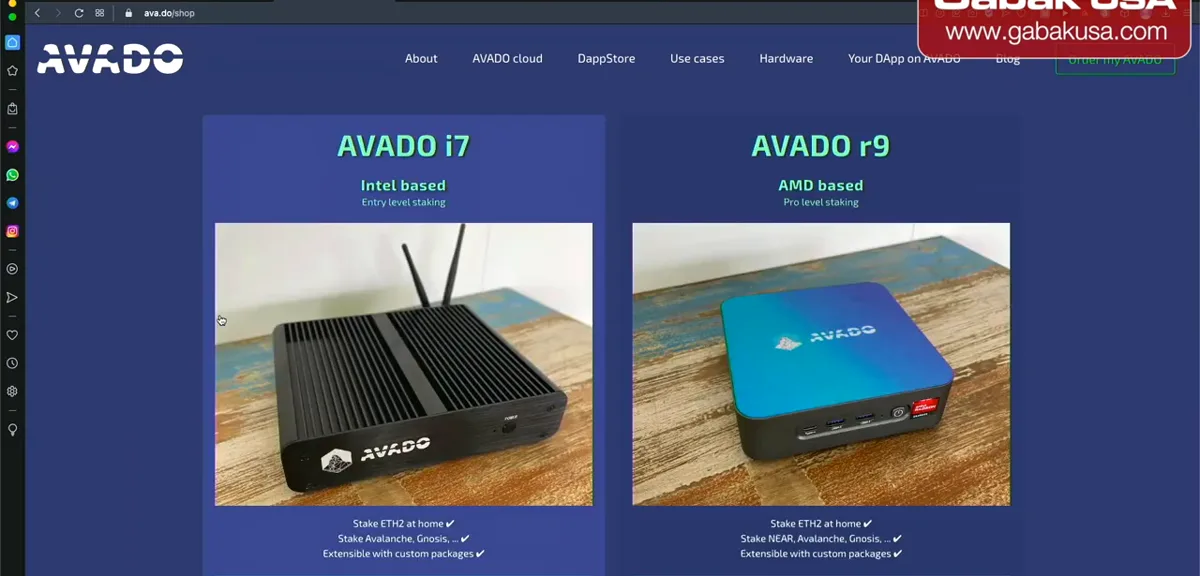
- Dedicated staking computers exist. The page in the video shows an Intel based model and an AMD based model, at prices around $1,600 at the time.
- With that route you pay for the hardware, the electricity and the internet, and you still need the full coin minimum.
- If you only have $3 or $5 to start, an exchange is the simpler option.
Step 3: Learn how staking works on the exchange
- When you stake a crypto, you commit your coins to help secure a proof-of-stake (PoS) network. While they stay staked they are used to verify transactions, support decentralized governance and make the network more resilient.
- The video reads this from the Binance.US help article on support.binance.us. Outside the United States, the site is Binance.com instead.
- In return, you receive staking rewards, shown as an APY.
Step 4: Log in and open the Staking page
- Log in to your account and click Staking at the top of the page.
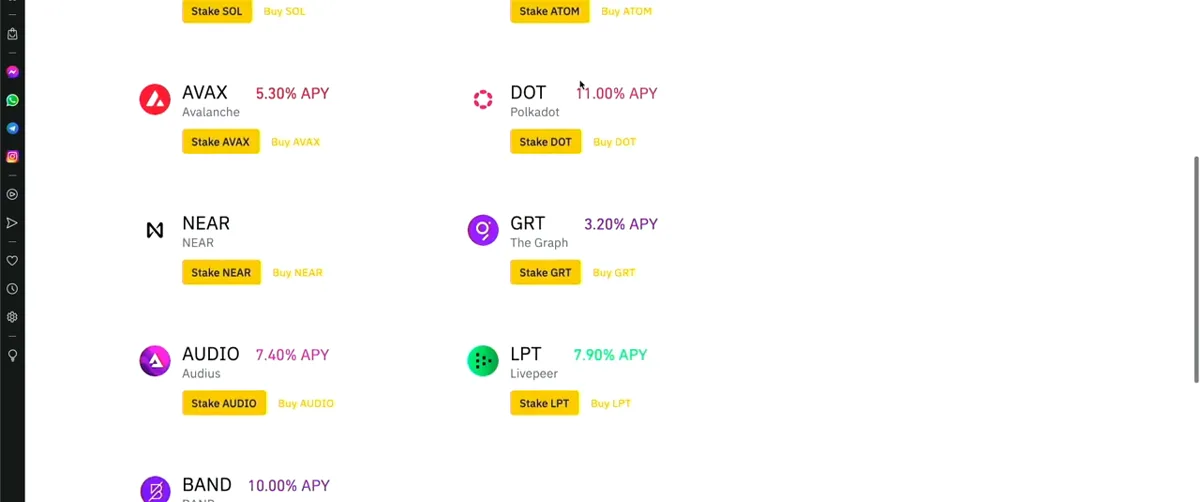
- You will see the list of coins you can stake with their estimated reward rate.
- APY means annual percentage yield: what you would earn in a year. In the video, Polkadot (DOT) showed 11% APY; other coins showed different rates.
Note: Rates in the screenshots are from 2022. Binance.US now says its estimated reward rates are variable, set by each network and not guaranteed.
Step 5: Pick a coin and check your balance
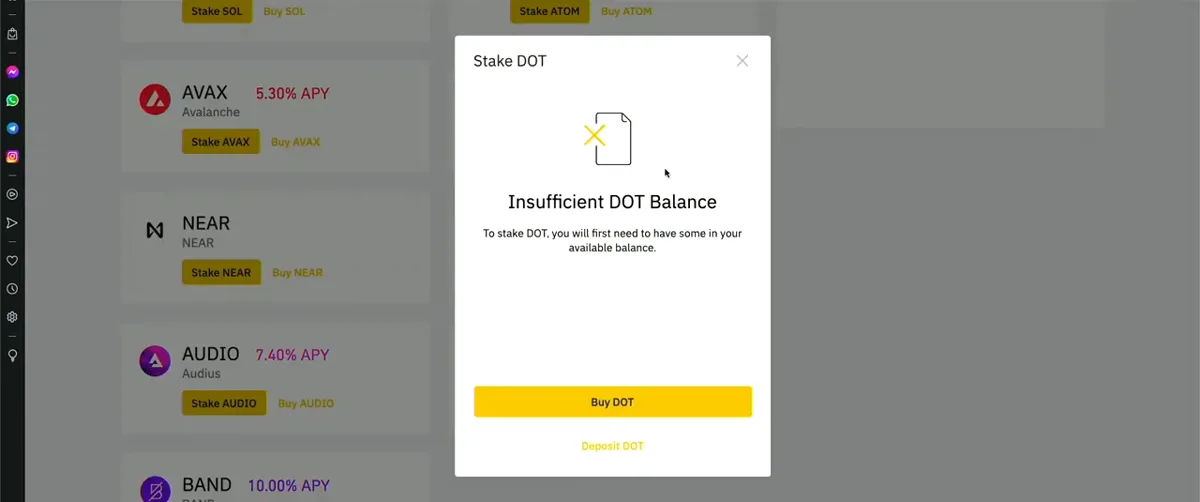
- Click Stake next to the coin you want. The video uses DOT.
- If you don't have any of that coin, you get an Insufficient DOT Balance message with options to buy or deposit it.
- Click Buy DOT to purchase a small amount.
Step 6: Buy a small amount of the coin
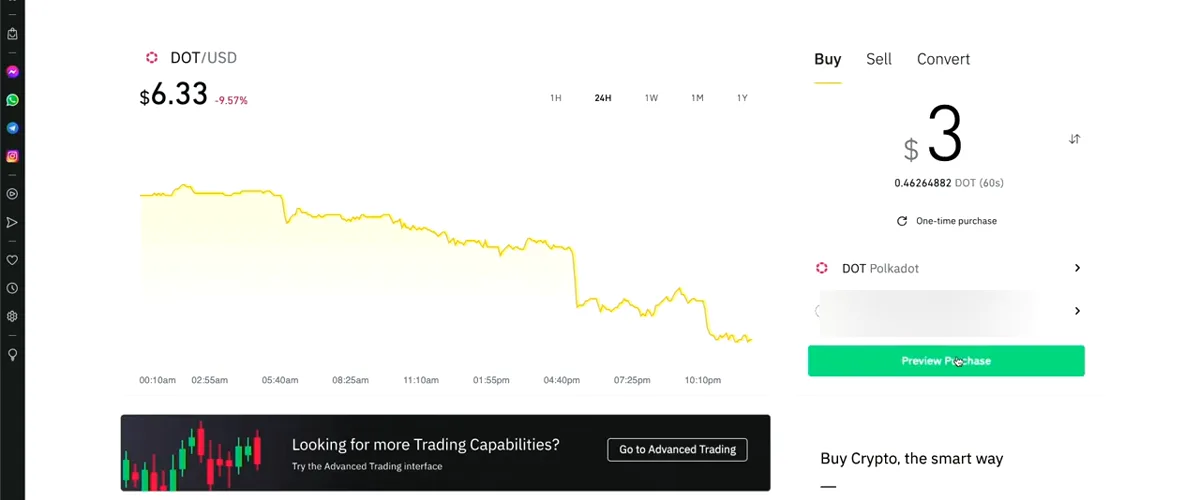
- Enter the amount. The video buys $3 as a one-time purchase.
- If you don't have enough balance, choose your bank account as the payment method, click purchase and then confirm the purchase.
- Go to the wallet. It usually takes a few minutes before the coin shows up, and you may get a notification on your phone.
Step 7: Choose how much to stake
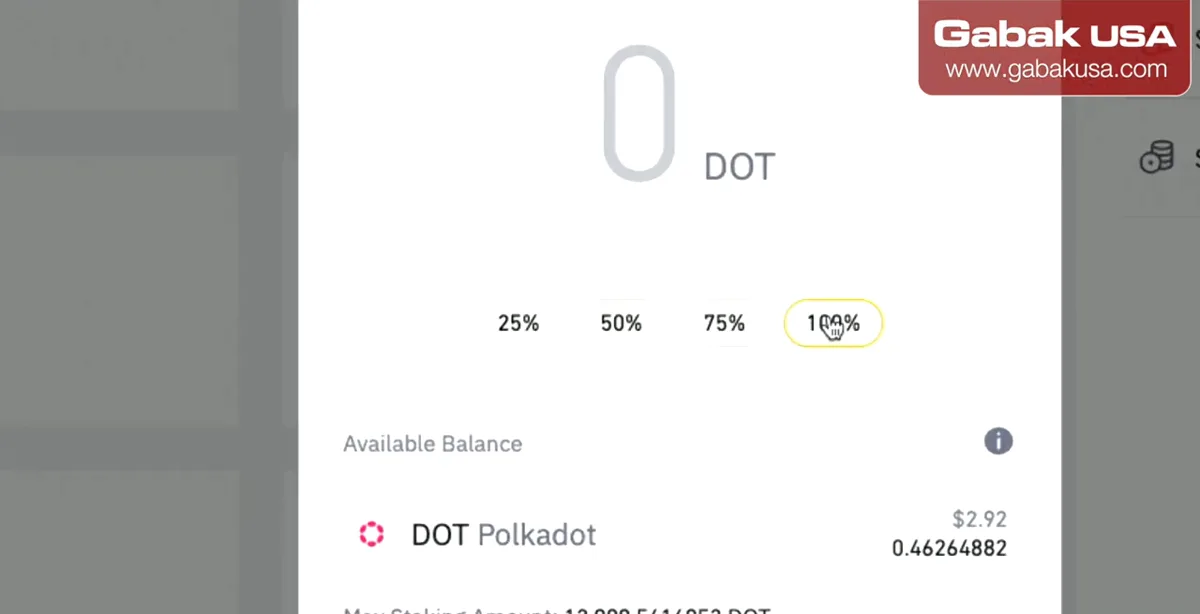
- Go back to Staking and click Stake DOT again.
- Choose 25%, 50%, 75% or 100% of your available balance. The video stakes 100%.
- The amount is a little less than what you paid because the exchange takes its commission.
Step 8: Turn on auto-restake
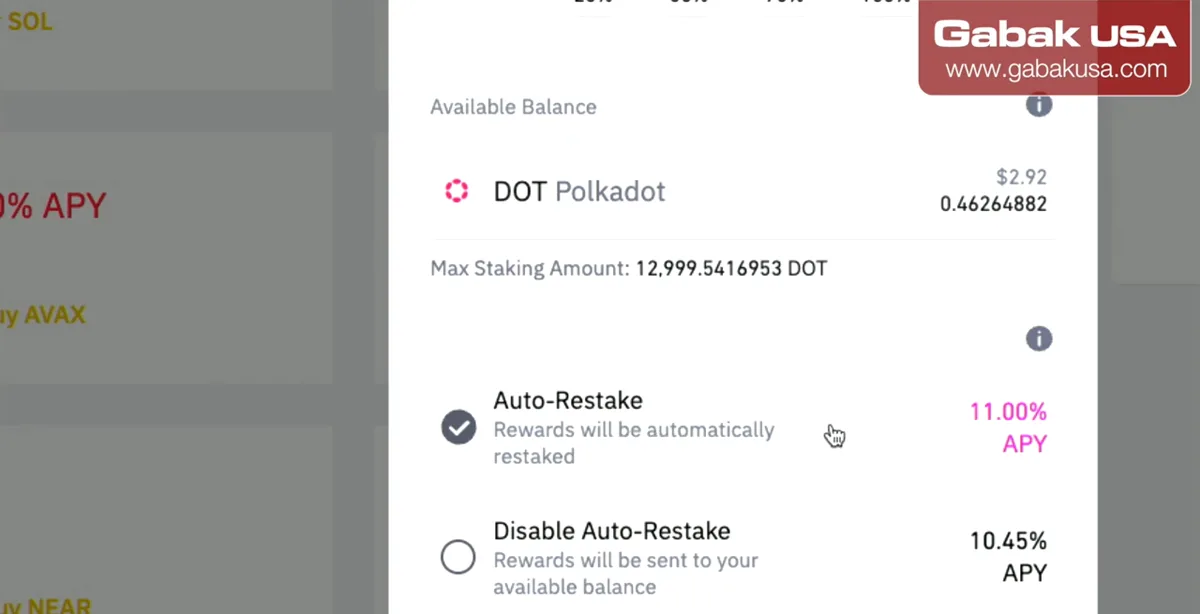
- With auto-restake, rewards are automatically staked again, so they compound. The video recommends leaving it on and forgetting about it.
- If you disable it, rewards go to your available balance and you have to restake manually, and remember to do it.
- On the screen in the video, auto-restake showed 11.00% APY and disabled showed 10.45%.
Step 9: Review the staking preview before confirming
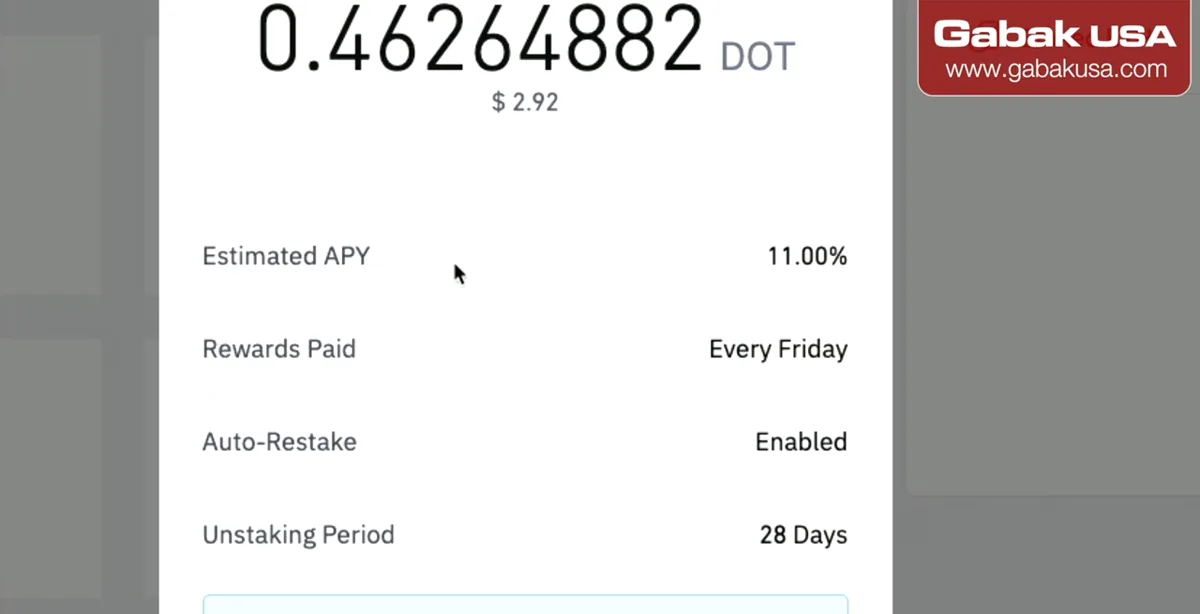
- Click Preview Stake and read every line.
- In the video: estimated APY 11%, rewards paid every Friday, auto-restake enabled, and an unstaking period of 28 days.
- That means if you want to do something else with the coins, you have to wait for the unstaking period. You cannot withdraw or trade staked assets until it ends.
Caution: Staked coins are locked. Only stake money you won't need right away, and check the current unstaking period for your coin before you confirm.
Step 10: Confirm and check your staked balance
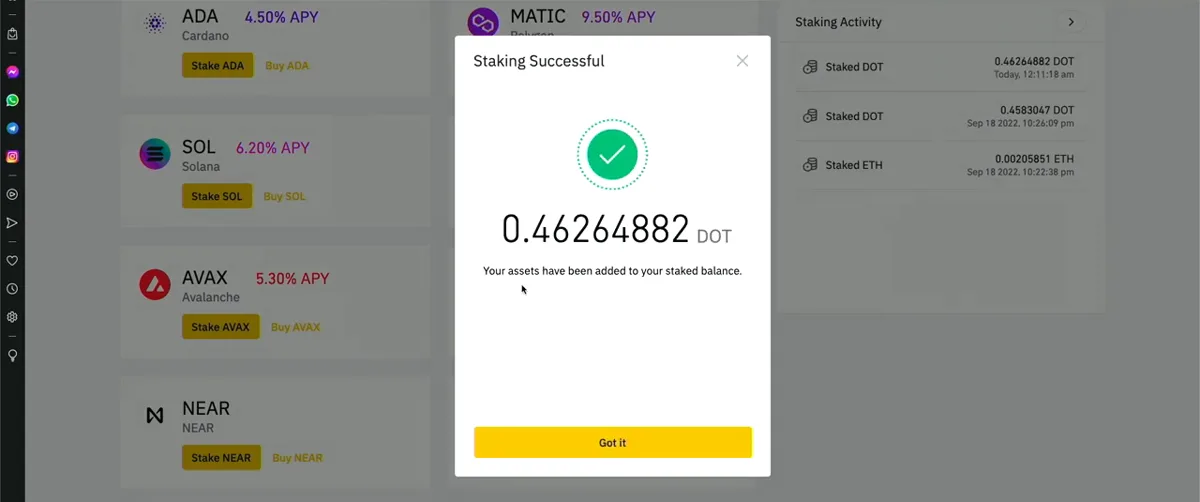
- Click Confirm. You get a message that your asset has been added to your staked balance. Click Got it.
- Your staked balances page now lists the coins you are staking. In the video that was some Ethereum and the new Polkadot.
- Rewards don't show up right away. You have to wait days or weeks for them to build.
Step 11: Track your rewards weeks later
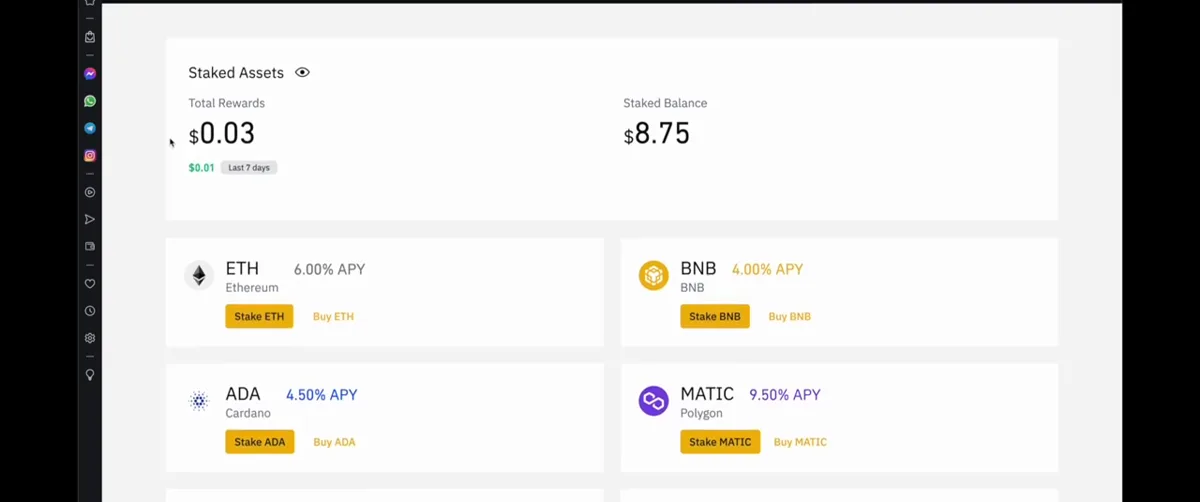
- Two or three weeks later, the video shows 3 cents in total rewards from less than $10 staked.
- By coin, Polkadot showed 2 cents and Ethereum still 0, so you have to wait.
- Small amounts give small rewards. The point of the video is that you can start with a few dollars, not that it makes much money.
Step 12: Check the daily rewards history
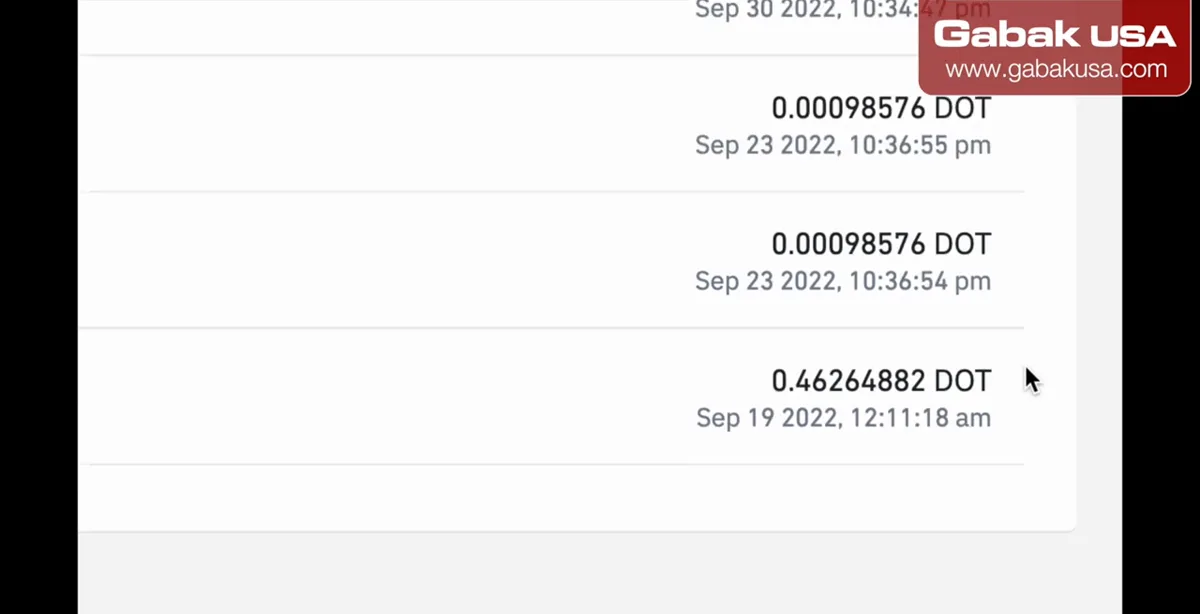
- Open the earnings history to see the rewards paid on each day.
- In the video the totals didn't match exactly: one place said 3 cents and the bottom of the page said 2 cents, so check the detailed history if numbers look different.
- Keep these records. Staking rewards can count as income for taxes.
Is staking on an exchange still available in 2026?
Yes, but the details change. As of November 2026, Binance.US says staking is available to verified users on more than 25 assets. Its help center explains that when you unstake you wait for a processing time of up to 3 business days plus the network's unbonding period, and that you don't earn rewards during unstaking. Unbonding periods vary by coin, from instant to a couple of weeks; Ethereum showed 14 days when we checked. Binance.US also offers soft-staking for some coins, which keeps them available to trade. Reward rates are variable and the exchange may deduct a commission, so always look at the current numbers in the preview screen rather than the 2022 screenshots above.
If you live outside the United States, the video says the site is Binance.com. Binance.com is not available to US residents, so in the US use Binance.US.
Exchange staking vs. running your own node
| Exchange staking | Your own validator | |
|---|---|---|
| Minimum | A few dollars in the video | Large; 32 ETH for Ethereum |
| Hardware | None | A computer online 24/7 |
| Blackouts and outages | The exchange's problem | Your problem: missed rewards and penalties |
| Fees | Exchange takes a commission | Electricity, internet, equipment |
| Who holds the coins | The exchange | You |
The trade-off is control: on an exchange you depend on the company. Protect the account with two-factor authentication; if you change phones, see how to transfer Google Authenticator to a new phone. If you do run equipment at home, a battery backup helps with short blackouts; see the CyberPower UPS review and setup.
The risk: crypto goes up and down
Crypto goes up and down, up and down. In the video, Bitcoin was around $20,000 at the time, and if prices fall, the value of what you stake falls too, no matter how much APY it earns. The advice in the video: if you have $1,000 and that is all you have, keep it. If you have a regular income, you might decide to put a small percentage, like 5%, into crypto and let it grow for 10 or 20 years, knowing it could also go to zero. Treat it like the casino, money you are willing to lose, and don't put all your eggs in one basket.
The video also compares fiat dollars, silver and crypto, and explains that crypto prices move with supply and demand like everything else. For more on that, read Bitcoin vs fiat vs gold.
Taxes and record keeping
In the United States, the IRS treats staking rewards as income when you receive control of them, so keep the rewards history from your exchange. If you stake larger amounts, talk to a tax professional.
Frequently asked questions
Can I stake crypto without a minimum?
Yes, on an exchange. In the video, staking on Binance.US started with only $3 of Polkadot (DOT). Each coin and exchange has its own small minimums, so check the stake screen for your coin.
Do I need a computer running 24/7 to stake?
Not with exchange staking. Running your own validator needs a computer online all the time; with Binance.US the exchange runs the infrastructure for you.
How much ETH do I need to run my own Ethereum validator?
32 ETH. That is why the video recommends exchange staking if you only have a few dollars.
What does auto-restake mean on Binance.US?
Your rewards are automatically staked again so they compound. If you disable it, rewards go to your available balance and you have to restake them manually.
Can I withdraw staked crypto at any time?
You can request to unstake, but you can't withdraw or trade the coins until the unstaking period ends. In the video DOT showed 28 days; Binance.US now lists different periods per coin plus up to 3 business days of processing.
How much can I earn staking $10?
Very little. In the video, less than $10 staked earned about 3 cents in two to three weeks. Rates change and are not guaranteed.
Is staking on Binance.US safe?
It removes the hardware risk, but you still face crypto price swings and you depend on the exchange holding your coins. Only stake what you can afford to lose and use two-factor authentication.
Can I use Binance.com from the United States?
No. Binance.com is not available to US residents; use Binance.US. The video notes that outside the US the site is Binance.com.
Watch the video

Comments
Comments appear after Gabriel reviews them.
Loading comments…