

Step-by-step guide
How to get internet in your house or business with LTE: Cradlepoint CBA850 dual-SIM setup
Short answer: to get internet in your house or business with LTE, you need an LTE router or adapter, an activated data SIM card from a carrier and good antennas. Put the SIM in the router, connect the antennas and power, and plug its LAN port into your network. LTE works well as a backup (failover) connection, and in rural areas or to save money some places use it as their only internet.
In the video, Gabriel shows a dual-SIM LTE modem made by Cradlepoint; the label on the unit reads CBA850, Cradlepoint's branch LTE adapter. He goes over every port: power, console, LAN 1 and LAN 2 (PoE), the on/off switch, the slot for the SIM cards and the removable modem, the antenna connectors and the reset button.
This guide follows that tour step by step, and adds verified background from Cradlepoint's documentation: what each port is really for, how the two SIM slots work, why this unit has no Wi-Fi, and when LTE internet is a good idea for a home or a business.
In this article
- Meet the dual-SIM LTE router
- Connect the power cable
- Know the console port
- Connect LAN 1 and LAN 2 (PoE)
- Find the on/off switch
- Open the modem door
- Pull out the LTE modem
- Insert the SIM card in SIM 1
- Slide the modem back in
- Attach the LTE antennas
- Decide if you need GPS
- Use the reset button if you forget the password
- LTE as primary internet or as backup
- Does the Cradlepoint CBA850 have Wi-Fi?
- Getting a good LTE signal
- Troubleshooting LTE internet
- Other ways to get internet without cable
- Who should use an LTE router like this
- Frequently asked questions
- Watch the video
Step 1Meet the dual-SIM LTE router
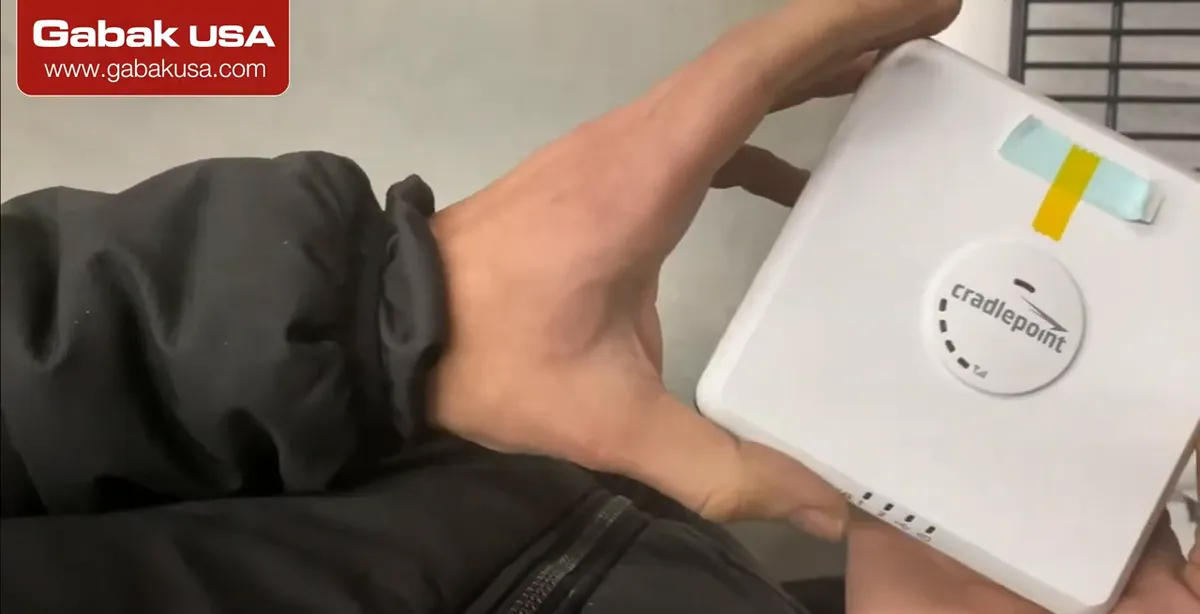
- The device in the video is a compact Cradlepoint LTE adapter (part CBA850 on the label). Its main feature is the capability to hold 2 SIM cards.
- Two SIMs let you use two carriers, or a primary and a backup SIM, in one box.
- Gabriel calls it a good, very compact product with multiple things in one: LTE modem, Ethernet ports, console and GPS.
Step 2Connect the power cable
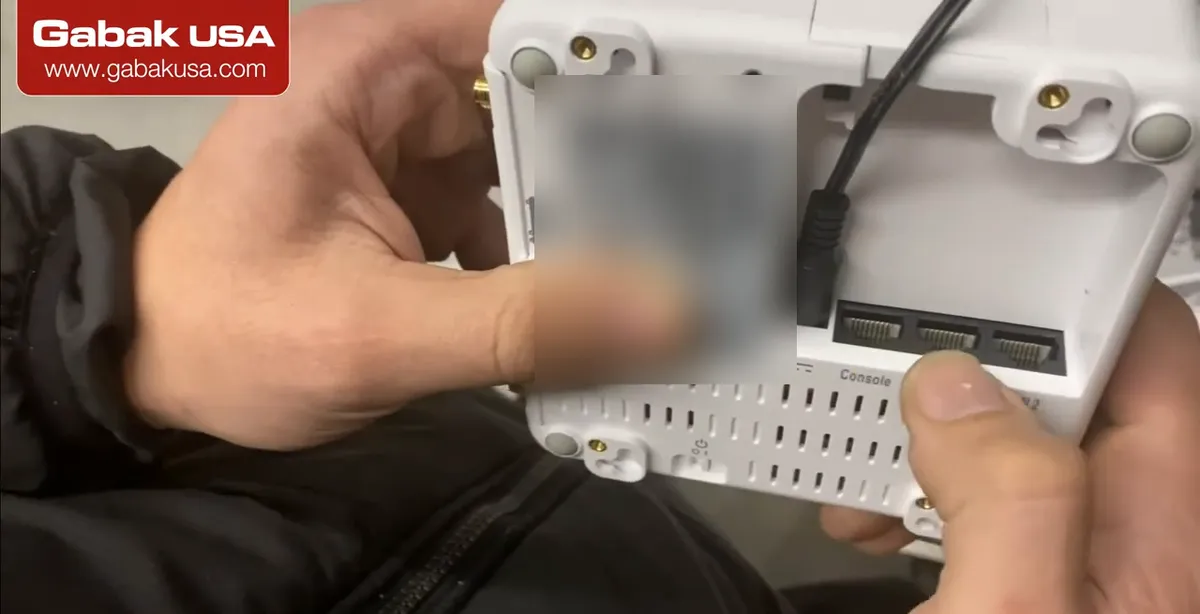
- Plug the power cable into the round power jack on the bottom of the unit.
- Cradlepoint ships the CBA850 with a 12 V DC, 1.5 A power adapter. Use the original adapter or one with the same voltage and polarity.
- The bottom of the unit is where all the connections are, so plan how the cables will exit if you mount it on a wall.
Step 3Know the console port
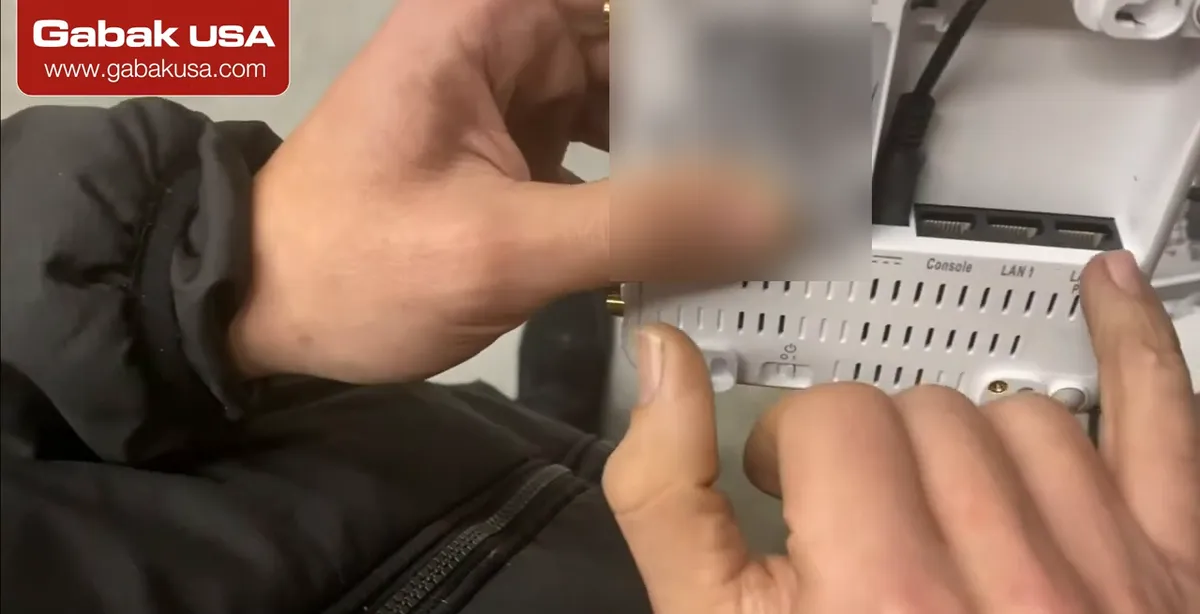
- Next to the power jack is the Console port, for a console cable in case you have to control or set up the unit directly.
- Cradlepoint describes it as an RJ45 serial port for console access or out-of-band management: reaching network equipment over LTE when the main connection is down.
- For a simple home or small office setup you will usually not need it.
Step 4Connect LAN 1 and LAN 2 (PoE)
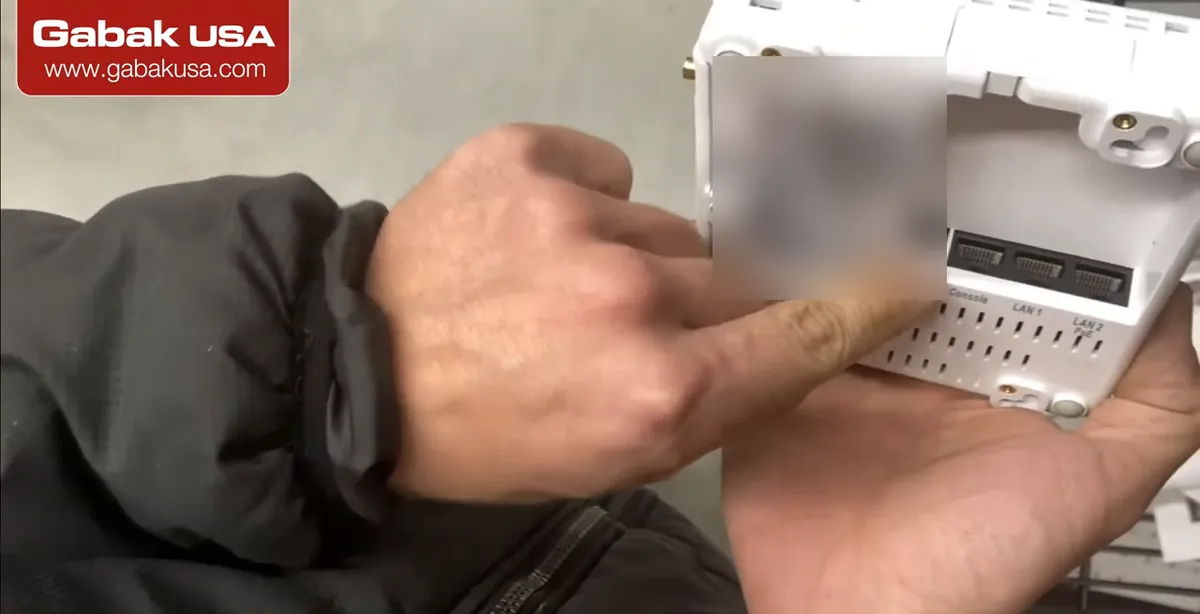
- There are two Ethernet ports, LAN 1 and LAN 2; LAN 2 is marked PoE (Power over Ethernet).
- Per Cradlepoint's quick start, LAN 1 is for local management and LAN 2 is IP passthrough: connect LAN 2 to the WAN port of your router or firewall.
- In the video Gabriel guesses the PoE could power a camera. According to Cradlepoint, PoE on LAN 2 is used to power the adapter itself from a PoE-enabled router or switch (802.3af/at), so do not count on it to power a camera.
Step 5Find the on/off switch
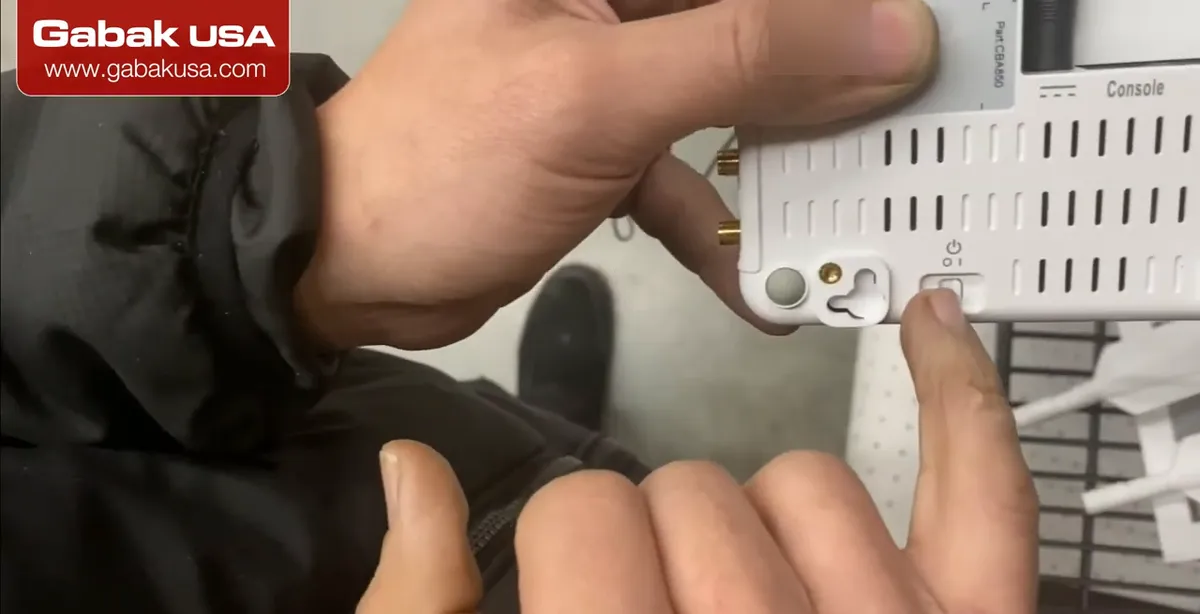
- There is a small power switch, so you can turn the unit on and off without unplugging it.
- Turn it off before you open the modem door and change SIM cards.
- After switching on, give the modem a few minutes to register with the carrier before you test.
Step 6Open the modem door
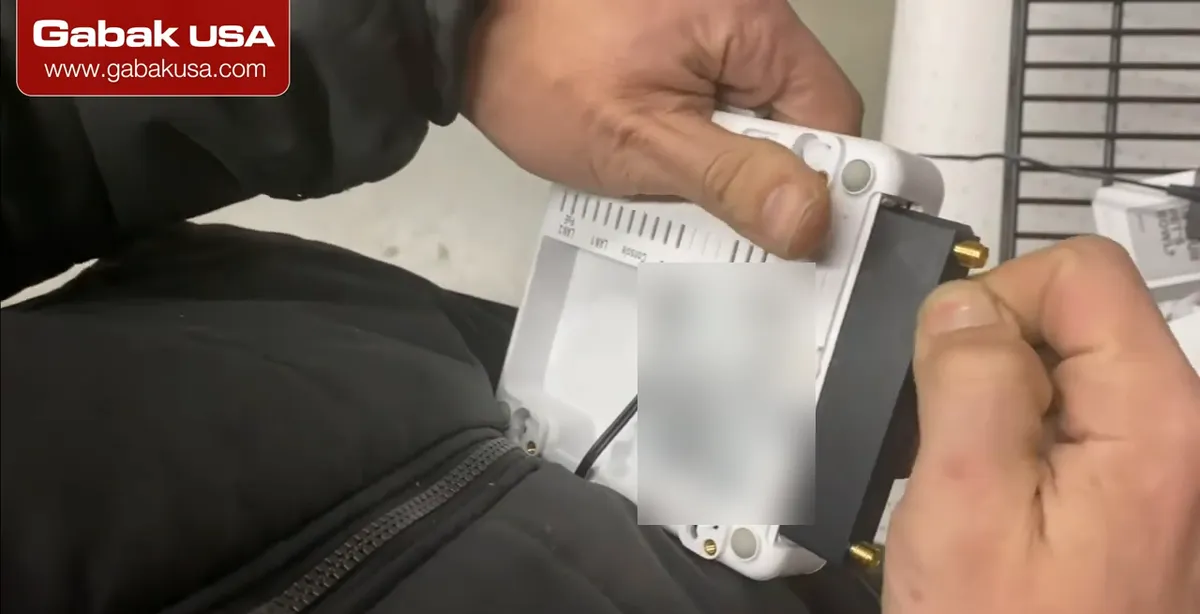
- To install the SIM cards, open the modem door. On the CBA850 it is held with a small screw.
- Gabriel's comment: this is not the best place to put the SIM slots, because you have to take the modem out to reach them.
- Keep the screw somewhere safe; it is small and easy to lose.
Step 7Pull out the LTE modem
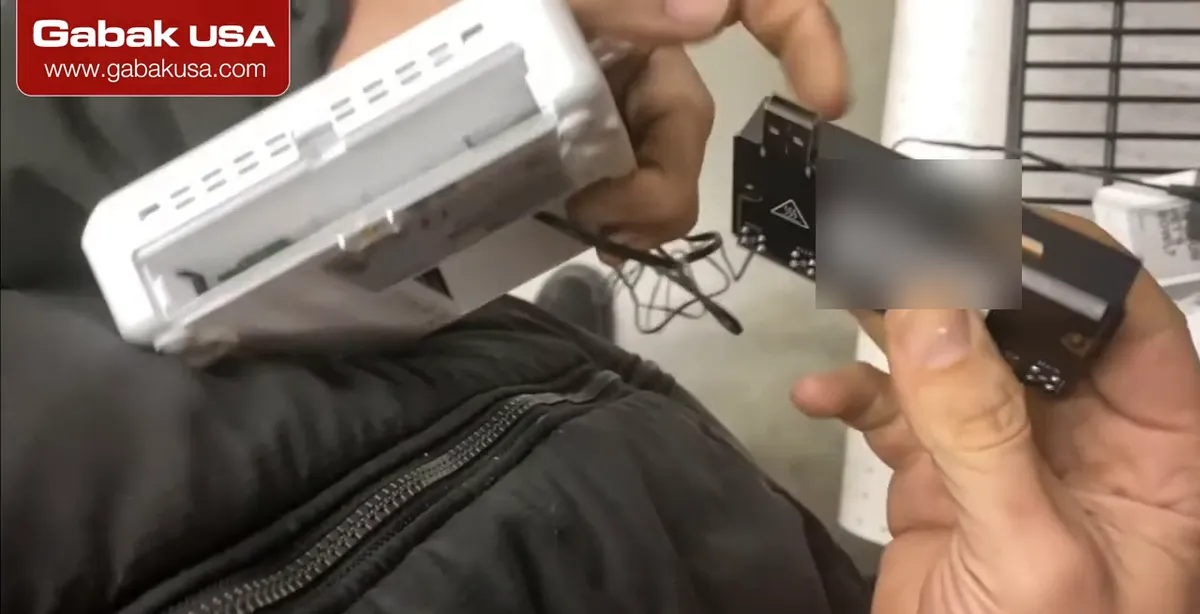
- The LTE modem is a removable module that connects to the router through a USB connector. Cradlepoint calls it the MC400 modular modem.
- Slide it out carefully; the SIM slots are on the modem itself.
- Because the modem is modular, it can be swapped for a different modem model without replacing the whole router.
Step 8Insert the SIM card in SIM 1
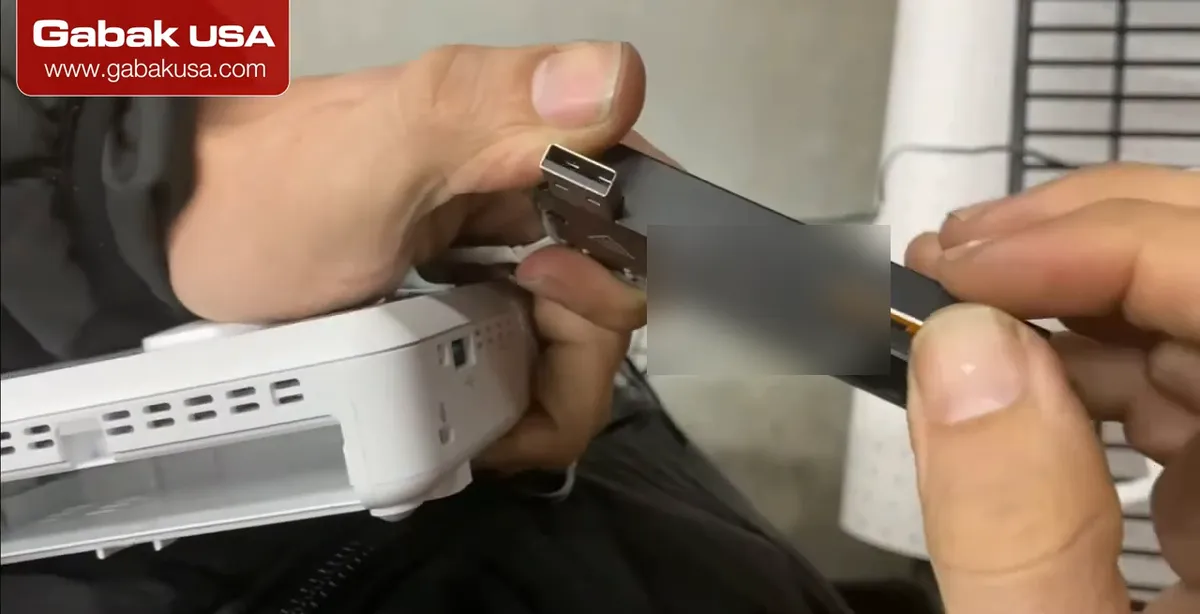
- The modem has SIM 1 and SIM 2. In the video they are using an AT&T SIM.
- Put your main SIM in SIM 1. Cradlepoint's guide says contacts down, notch in, and it clicks into place; use SIM 2 for a secondary or backup SIM.
- Make sure the SIM is activated on a data plan that allows use in a router before you install it.
Step 9Slide the modem back in
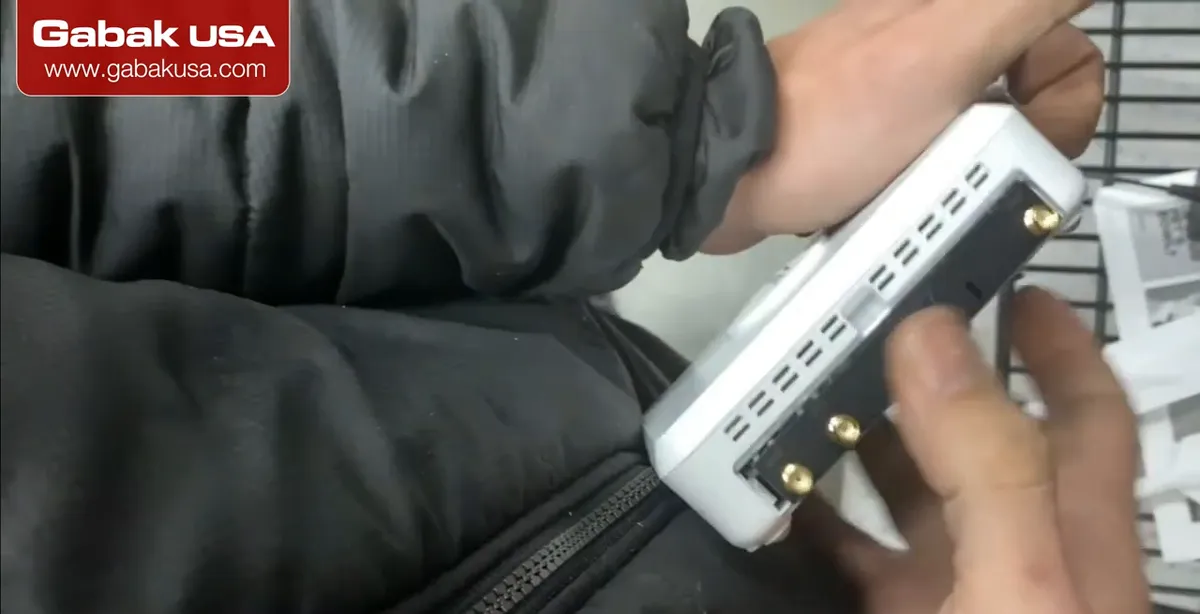
- Plug the modem back into its USB port inside the router, the same way it came out, and put the door back.
- The gold connectors are the antenna ports: MAIN for LTE and AUX, which is also for LTE.
- The third connector is GPS.
Step 10Attach the LTE antennas
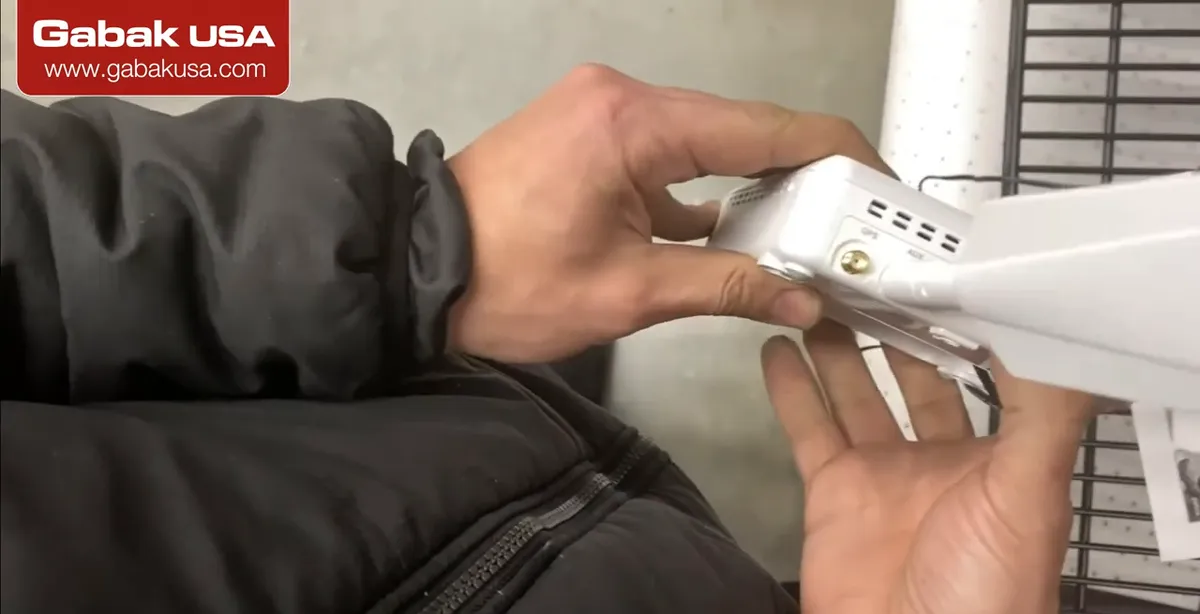
- Screw the LTE antennas onto MAIN and AUX. The main one is the most important; AUX is the diversity antenna and improves reception and speed.
- Point the jointed antennas up, and keep the unit away from metal and thick concrete walls.
- If the signal is weak indoors, an outdoor antenna on the roof makes a big difference; see the guide below.
Step 11Decide if you need GPS
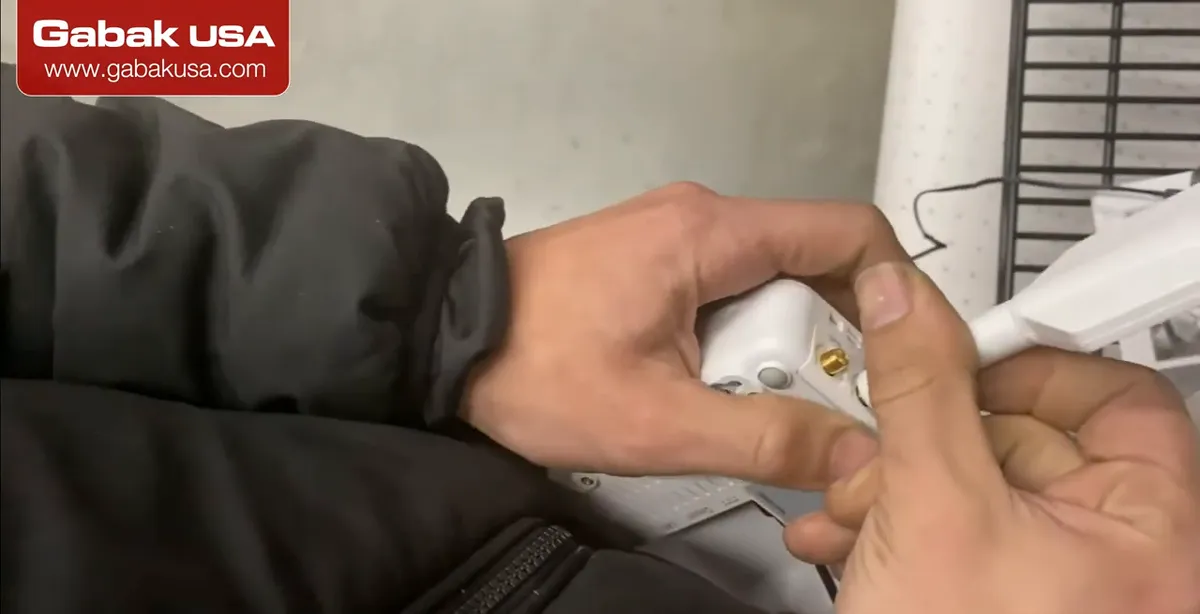
- Gabriel explains that GPS is mainly used when you have multiple devices and you want their timing synchronized, as in commercial equipment that provides internet to many users.
- For basic home or office internet you do not need a GPS antenna.
- Cradlepoint lists a dedicated active GPS antenna port on the CBA850 (not on every modem version).
Step 12Use the reset button if you forget the password
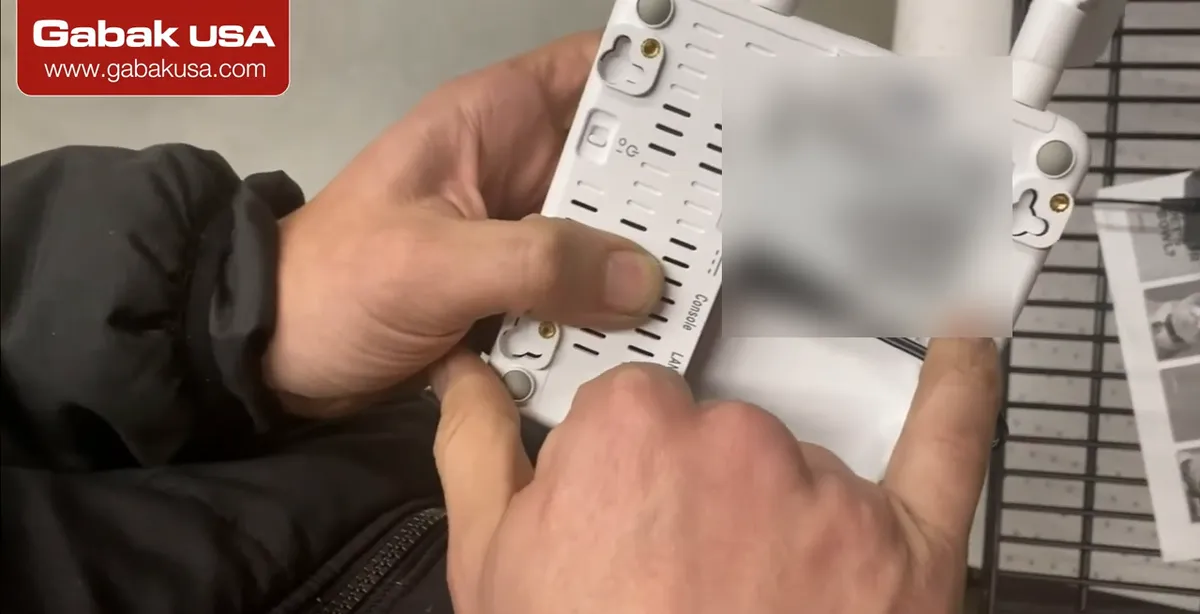
- The small reset button is there in case you forgot the password or something goes wrong in the settings.
- A reset returns the unit to factory settings, so you will have to set it up again.
- The default password is printed on the label. Change it during setup, and do not post photos of the label online.
LTE as primary internet or as backup

An LTE router gets its internet from the cell network, like a phone, and shares it with your wired network. There are two ways to use it:
- Backup (failover): your cable, DSL or fiber line is the main internet, and the LTE connection takes over when it goes down. This is where Gabriel says LTE is ideal: a secondary connection for redundancy. The video description talks about exactly this: an automatic secondary path when connectivity is lost or the primary router goes down.
- Primary: LTE is the only internet. At the location in the video they use it as their primary internet, and Gabriel notes some places do this to reduce cost. It is also common in rural places where there is no cable or fiber.
For a primary connection, pay attention to the data plan and the signal: a weak signal means slow and unstable internet, and a limited plan can run out quickly with video or cameras.
Does the Cradlepoint CBA850 have Wi-Fi?
No. The CBA850 is an LTE adapter: Cradlepoint's specs list two Gigabit Ethernet ports, a console port and a USB port, but no Wi-Fi. To get Wi-Fi in a house or office, connect LAN 2 to the WAN port of a Wi-Fi router, as in the diagram above.
If you need a small travel or home router to put behind it, see how to set up the GL.iNet GL-SFT1200 Opal router.
| Port | What it does (per Cradlepoint) |
|---|---|
| Power | 12 V DC, 1.5 A adapter |
| Console | RJ45 serial console / out-of-band management |
| LAN 1 | Local management (NAT) |
| LAN 2 (PoE) | IP passthrough to your router's WAN; can power the adapter via PoE 802.3af/at |
| SIM 1 / SIM 2 | Primary and secondary SIM (on the modem) |
| MAIN / AUX | LTE antennas |
| GPS | Active GPS antenna |
| Reset | Back to factory settings |
Getting a good LTE signal
The router is only as good as the signal it receives. A few tips:
- Place the router or its antennas high and near a window, away from metal racks and concrete walls.
- Connect both LTE antennas (MAIN and AUX).
- In a metal or concrete building, use an outdoor antenna on the roof. Step by step: how to improve 4G LTE signal inside a business.
- In a rack with a modem and an LTE device, keep the antennas outside the closed cabinet. Example install: AT&T modem and Cradlepoint 4G LTE in a rack.
Troubleshooting LTE internet
| Problem | What to check |
|---|---|
| No internet at all | SIM activated? Inserted in SIM 1, contacts down? Modem fully seated in its USB slot? |
| Weak or slow connection | Both antennas connected and tight; move the unit or add an outdoor antenna |
| Router behind it gets no internet | Use LAN 2 to the router's WAN port; restart both devices |
| Lost access to settings | Use the reset button, then set it up again with the label password |
| Unit doesn't power on | Power switch on? Correct 12 V adapter, or a PoE port on LAN 2 that supplies power |
| Backup doesn't take over | The failover is configured on the router or in the adapter's settings, not by plugging in alone |
Other ways to get internet without cable
LTE is not the only option where there is no cable or fiber. Satellite internet is another choice; see Starlink unboxing and setup for how that system is installed. Many businesses combine options: a wired line as primary, and LTE or satellite as the backup, so the store, cameras and payment terminals keep working when one connection fails.
Who should use an LTE router like this
- Stores and branch offices that need backup internet for payment terminals and remote access.
- Rural homes and businesses without cable or fiber, if the carrier signal is good.
- Temporary sites (construction, events) where installing a wired line is not worth it.
- IT technicians who need out-of-band access to equipment through the console port.
If you only need internet for one or two phones occasionally, a phone hotspot may be enough; a dedicated LTE router is better for always-on, wired connections.
Frequently asked questions
Can I get internet at home with LTE?
Yes. An LTE router with an activated data SIM shares cellular internet with your network. Add a Wi-Fi router if the LTE unit has no Wi-Fi, like the Cradlepoint CBA850.
Is LTE good as primary internet?
It can be, especially in rural areas or to reduce cost, as at the location in the video. It works best with a strong signal and a data plan meant for router use; many people use it as a backup.
What is a dual-SIM LTE router for?
It holds two SIM cards, usually a primary and a backup, which can be from different carriers. If one network has a problem, the router can use the other SIM.
Does the Cradlepoint CBA850 have Wi-Fi?
No. It is an LTE adapter with two Ethernet ports, a console port and USB. Connect LAN 2 to the WAN port of a Wi-Fi router.
Can the PoE port on the CBA850 power a camera?
According to Cradlepoint, PoE on LAN 2 is used to power the adapter from a PoE router or switch, not to power other devices like cameras.
Where do the SIM cards go on a Cradlepoint CBA850?
On the removable modem. Open the modem door, slide the modem out, and insert the main SIM in SIM 1 and a backup in SIM 2.
Do I need the GPS antenna?
Not for basic internet. GPS is mainly useful for synchronized timing between multiple devices or for location features.
How do I reset a Cradlepoint router?
Press the small reset button on the bottom with a pin. It returns to factory settings; the default password is on the label.
Watch the video


Comments
Comments appear after Gabriel reviews them.
Loading comments…