Courses
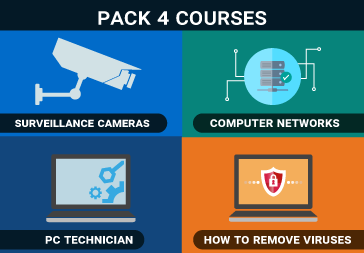
Pack 4 – PC Technician, How to eliminate viruses, Computer Networks and Surveillance Cameras
$544.00
Prefer another way to pay? Send a message and I’ll reply with options (bank transfer, local methods).
Mention “Pack 4 – PC Technician, How to eliminate viruses, Computer Networks and Surveillance Cameras” in your message. How to order
Description
In this pack with 20% discount we deliver the courses: PC Technician, Computer Networks, How to remove Virus and Spywares and IP Surveillance Cameras
Computer Technician Course:
Exclusive Content:
1- Learning windows graphics environments – OSX and Linux
2- How to handle with the clients of the 90 in computer science
3- Entry level vs high-end
4- From novice to professional and master
Chapters (COMING SOON)
Chapter 1: The path of computers
Chapter 2: Operational Procedures
Chapter 3: The Visible PC
Chapter 4: Windows Visible
Chapter 5: Visible Networks
Chapter 6: Microprocessors
Chapter 7: RAM’s
Chapter 8: BIOS
Chapter 9: Motherboards
Chapter 10: Power Sources
Chapter 11: Rigid Disk Technologies
Chapter 12: Implementing Rigid Discs
Chapter 13: Removable Media
Chapter 14: Installing and Updating Windows
Chapter 15: Full Windows Overview
Chapter 16: NTFS, Users and Groups
Chapter 17: Windows Maintenance and Optimization
Chapter 18: Working with the “command line” interface
Chapter 19: Troubleshooting Windows
Chapter 20: Input devices
Chapter 21: Video
Chapter 22: Local Networks
Chapter 23: Wireless Networks
Chapter 24: The Internet
Chapter 25: Multimedia
Chapter 26: Laptops
Chapter 27: Mobile Devices
Chapter 28: Printers
Chapter 29: Securing Computers
Chapter 30: Virtualization
Chapter 31: The right PC for you
Chapter 32: The Complete Computer Technician
PUBLIC CONTENT (Available on several You Tube channels)
1- Technical computer course introduction
2- Integrity and honesty in a computer technician to be professional
3- Adaptability and versatility
4- Communication with the client
5- Sensibility communication
6- Communication between client and computer technician
7- Positive communication with customers or employees
8- Respectful communication
9- Accusatory answers
10- Customer expectations and follow-up
11- Delivery time
12- Documentation to the PC repair terminal
13- Follow-up after PC repair
14- Avoid ESD electromagnetic discharge
15- EMI and RFI problems and interference solutions
16- Personal protection in a computer technician
17- Basic tools for PC technician
18- How to look for problems in a PC
19- What is a computer and its misinterpretations
20- The 3 parts of computers
21- The 3 fundamental stages of a computer
22- Because it is important the processes of the computer
23- Components and connectors of a PC
24- The 5 common functions between operating systems
25- Learning Windows OSX and Linux graphics environments
26- File structure in Windows – Linux – OSX
27- 3 execution points of the operating systems – Windows – OSX-Linux
28- What is a processor and how does it work?
29- Difference between RAM memory memory and storage memory
30- The different models of processors and a little of their history
31- What are the multipliers of the CPU clock
32- What are the 64-bit processors?
33- What is the virtualization support in a processor
34- What it means parallel execution in a cpu
35- What is hyperthreading?
36- What is the cache memory in a CPU processor?
Complete course of Computer Networks:
Exclusive Content:
1: Switch installation, differences between rackeable and desktop
2: Wiring of separate NETWORK vs wiring by the electrical installation
3: How to save the information of the terminals efficiently
4: Patch panel & rosettes tooless or crimpeo
5: What do I have to see on a NAS before buying it?
6: What version of Windows should be installed in a company?
7: Security in the network – Wifi vs Wired
8: Uniformity of computers in a network
9: How to have all computers under control in a company
10: Difference between NAS and a file server with windows server
11: What a difference there is between original and pirated software
12: How to create VM file sharing between windows linux and OSX
PUBLIC CONTENT (Available on several You Tube channels)
Chapter 1: Introduction.
1- Introduction to computer networks
2- Why bother making a network?
Chapter 2: Life on the Net.
3- Use and implementation of shared folders in a network
4- Good practices for the use of shared folders
5- Differences between clients and servers
6- Differences between dedicated servers and peers
7- What things make a network work?
8- PCs are no longer personal
9- What is a network administrator and its functions
10- How to diagram and organize a computer network
11- What is a name and how is it used in a network
12- Logging into a network or logging into a network
Chapter 3: Understanding TCP / IP.
13- How the SUBNET or subnet mask works
14- DHCP differences between exclusions and reservations
15- Model OSI explanation with examples in the 7 layers
16- Introduction to binary numbers
17- Introduction to ip networks
18- The different types of Ethernet network cables
19- Basic guide for setting up a network network course Networking
20- IP address classifications
21- What is subnetting?
22- What is dhcp?
23- The 5 functions of the dhcp
24- What is dhcp lease time?
Chapter 4: What is all this? cables, switches and routers.
25- What is ethernet?
26- Theory of armed rj45 straight and crossed
27- What is a router and its different types (Soho, Enterprise and Industrial)
Chapter 5: Setting up a wireless network.
28- What is WiFi and its derivatives
29- Introduction to Wireless waves and frequencies
30- What is an Access Point and how to use it
31- what is the infrastructure mode in AP and how it works (access point)
32- What is a wireless network adapter?
33- Have more WIFI power with tachables antennas
34- What is the ad hoc mode?
35- What is WDS?
Chapter 6: Installing a Server.
36- 5 fundamental things before installing windows
37- History and introduction to Windows nt 4
38- History and introduction of Windows 2000 server
39- History and introduction of Windows 2003 server
40- History and introduction of Windows 2008
How to get rid of viruses, spyware and trojans
Titles that are seen in this course:
PUBLIC CONTENT (Available on several You Tube channels)
What is an antivirus? and which is the best?
What is a Worm or Computer Worm?
How to avoid being attacked by hackers protecting your PC.
What is a computer virus and how does it work?
How is a PC infected? (Theory and practice)
How to clean a PC (Theory and Practice)
How to avoid Virus, Spywares and Malwares.
How to get a Virus (Theory and Practice)
What is a Trojan? How do they attack?
Computer Technician Course
Titles that are seen in this course:
Exclusive Content:
1- Learning windows graphics environments – OSX and Linux
2- How to handle with the clients of the 90 in computer science
3- Entry level vs high-end
4- From novice to professional and master
5- File structure in Windows Linux OSX – PC technician course
6- What is multicore processing?
7- What is the IMC integrated memory controller?
8- What are the graphics integrated in the CPU
9- How security works inside the processor + windows DEP
10- How to avoid problems in the installation of CPU processors
Chapters (COMING SOON)
Chapter 1: The path of computers
Chapter 2: Operational Procedures
Chapter 3: The Visible PC
Chapter 4: Windows Visible
Chapter 5: Visible Networks
Chapter 6: Microprocessors
Chapter 7: RAM’s
Chapter 8: BIOS
Chapter 9: Motherboards
Chapter 10: Power Sources
Chapter 11: Rigid Disk Technologies
Chapter 12: Implementing Rigid Discs
Chapter 13: Removable Media
Chapter 14: Installing and Updating Windows
Chapter 15: Full Windows Overview
Chapter 16: NTFS, Users and Groups
Chapter 17: Windows Maintenance and Optimization
Chapter 18: Working with the “command line” interface
Chapter 19: Troubleshooting Windows
Chapter 20: Input devices
Chapter 21: Video
Chapter 22: Local Networks
Chapter 23: Wireless Networks
Chapter 24: The Internet
Chapter 25: Multimedia
Chapter 26: Laptops
Chapter 27: Mobile Devices
Chapter 28: Printers
Chapter 29: Securing Computers
Chapter 30: Virtualization
Chapter 31: The right PC for you
Chapter 32: The Complete Computer Technician
PUBLIC CONTENT (Available on several You Tube channels)
1- Technical computer course introduction
2- Integrity and honesty in a computer technician to be professional
3- Adaptability and versatility
4- Communication with the client
5- Communication sensitivity
6- Communication between client and computer technician
7- Positive communication with customers or employees
8- Respectful communication
9- Accusatory answers
10- Customer expectations and follow-up
11- Delivery time
12- Documentation to the PC repair terminal
13- Follow-up after PC repair
14- Avoid ESD electromagnetic discharge
15- EMI and RFI problems and solution
16- Personal protection in a computer technician
17- Basic tools for PC technician
18- How to look for problems in a PC
19- What is a computer and its misinterpretations
20- The 3 parts of computers
21- The 3 fundamental stages of a computer
22- Because it is important the processes of the computer
23- Components and connectors of a PC
24- The 5 common functions between operating systems
25- Learning Windows OSX and Linux graphics environments
26- File structure in Windows – Linux – OSX
27- 3 execution points of the operating systems – Windows – OSX-Linux
28- What is a processor and how does it work?
29- Difference between RAM memory memory and storage memory
30- The different models of processors and a little of their history
31- What are the multipliers of the CPU clock
32- What are 64-bit processors?
33- What is virtualization support in a processor
34- What does parallel execution mean in a cpu?
35- What is hyperthreading?
36- What is the cache in a CPU processor
37- What is the superscalar architecture and in order out of order processing
38- What is hyperthreading Theory + Practice
39- Select the CPU for your motherboard and the meaning of the models
40- Introduction Cooler for CPU processors
HOW TO BUY STEP BY STEP:
Related