Courses
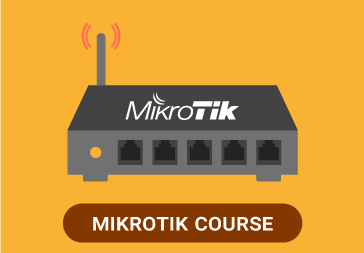
MIKROTIK
$399.99
Prefer another way to pay? Send a message and I’ll reply with options (bank transfer, local methods).
Mention “MIKROTIK” in your message. How to order
Description
READ: You must download VLC PLAYER to play the content.
What does PREVENTA mean?
Full course of Mikrotik Routers.
Content:
INTRODUCTION
Who or what is MikroTik?
About the Author
What is RouterOS?
Chapter 1 – Access for the first time
WinBox
Navigation on WinBox
Inside WinBox
Safe Mode
Example – Entering fail-safe mode
Command Line Terminal Options
Telnet and SSH
Serial terminal
Example: Forgotten password
Creation of the basic configuration
Example: add an IP address
Chapter 2 – User management
Example – Assignments of users and groups and policy
Chapter 3 – Update and downgrade of the System, Management of packages
Example – Operating system update
Example – Declassification of the operating system
Example – Update via FTP
Example – Add a package
Example – Best practices for package management
Chapter 4 – Identity of the router
Example – Configuring the identity of the system
Chapter 5 – System time and NTP protocol
Configuring the NTP client
Example – NTP client configuration
System clock
Example – Manual adjustment of the system clock and setting
The time zone
Advanced NTP server configuration
Example: Activating the NTP server
Chapter 6 – Backup copies
Example – Creating a binary backup
Example: Restore a binary backup
Text-based backups
Example – Creating a text export (text backup)
Example – Import a text backup
Chapter 7 – Licenses
Example – Determination of the license level
Example – Install a license
Chapter 8 – Firewall
Connections
Two ways to control access
Front chain
Address lists
Example – The basic firewall
Chapter 9 – NAT, Network Address Translation
NAT Font
Destination NAT
Special types of NAT rules
NAT source with multiple public IP addresses
Destination NAT with redirection of actions
Example: a simple masquerade rule
Example: Destination NAT for a Web server in the Private Network with Port Translation
Example – NAT source to source traffic of an IP address
Example: Destination NAT with redirecting actions
Service ports – NAT helpers
Follow-up of the connection (on and off)
Example: Disable connection tracking
Tools – Torch
Example – Determination of the traffic source in a network
Chapter 10 – Bandwidth limits
Simple queues
Outbreak
Example – Creating a simple queue for computers in an office network
Example – Creating a queue for a destination host
Example: Create a queue for local computers with burst
Mangling of packages
Example – Mangling of packages using Optimum Mangle
Prioritization of traffic
For additional studies: QOS
Example – Queue priority for VOIP traffic
PCQ – per connection queue in the connection
Example – Using PCQ with a simple queue, a limit for all
Chapter 11 – Tools
Bandwidth test utility
Example – Bandwidth test utility
Monitoring Tools
Torch
Example – Use of torch to solve problems of “slow” networks
Traffic graphics
Example – Set up a chart for all users in a subnet
SNMP – Simple network management protocol
Chapter 12 – Local area networks
ARP
Example: Create a LAN that requires static ARP
DNS
Example – Configure DNS client and DNS server cache
DHCP – Dynamic Host Configuration Protocol
DHCP client
Example: Add a DHCP client
DHCP server
Example – Creating a DHCP server
Example – DHCP static leases
Example: DHCP server without an IP group
Hotspot – Instant public Internet
Example – Configure hotspot
Example – Create IP links
Example – Create additional users
Example – User profiles
Example – Server profiles
Example – Walled garden
Example – Creating a custom login page
Web proxy
Example – Setting up a transparent Web proxy
Example – Http Firewall, allowing or blocking certain sites
Example: redirect users to certain sites
Example – Web traffic log
Example – Registering on a remote Syslog server
Chapter 13 – Storage
System stores
Example – Explore Stores
Example – Create a warehouse
Chapter 14 – More RouterOS tools
Email tool
Example – Configure the email tool
Example: use a script with the email tool and scheduler to create and send a backup
Netwatch
Example: restart the router using Netwatch
Ping
Traceroute
Profile
Chapter 15 – Wireless
Theory of the wireless network
802.11b
802.11g
802.11n
Channeling – 2.4 GHz 802.11b / g / n
Small channels
Bridges and routed access points
Routed
Bridged
Example – Set up a point
Related